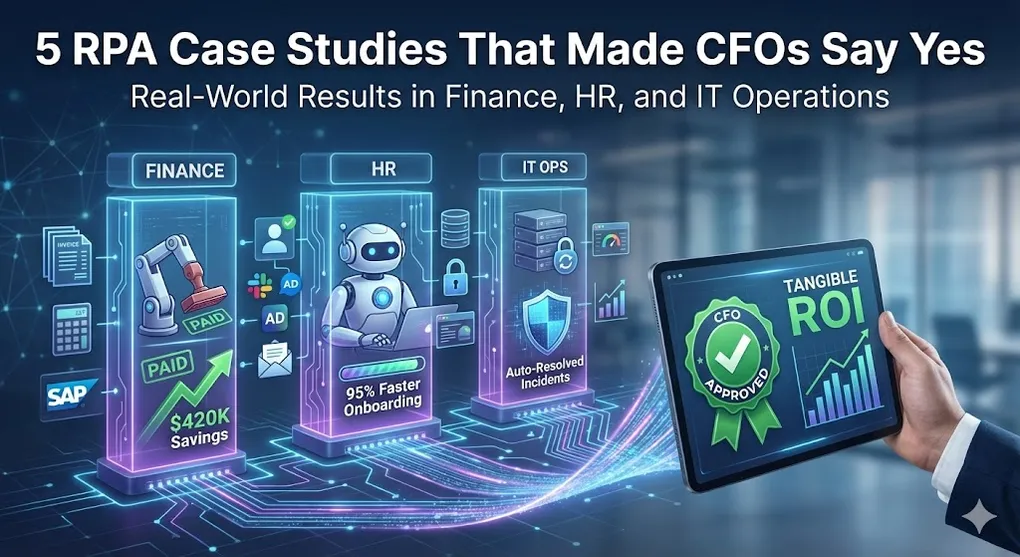
5 RPA Case Studies That Made CFOs Say Yes
Theory is great. Results are better.
This article breaks down five real-world RPA implementations across Finance, HR, and IT. For each, you’ll see:
- The problem
- The solution
- The technical approach
- The measurable results
These aren’t hypotheticals. They’re patterns that actually worked.
Case Study 1: Accounts Payable Automation
The Problem
A mid-size manufacturing company processed 15,000 invoices monthly. The AP team:
- Received invoices via email, mail, and vendor portals
- Manually entered data into SAP
- Performed three-way matching (Invoice -> PO -> Goods Receipt)
- Handled exceptions via spreadsheet tracking
Pain points:
- 8 AP clerks spending 70% of their time on data entry
- Average processing time: 15 minutes per invoice
- Error rate: 4.3%
- Duplicate payments: ~$50,000/year
The Solution
+---------------------------------------------------------------------+
|                    AP Automation Architecture                       |
+---------------------------------------------------------------------+
|                                                                     |
|  +--------------+    +--------------+    +--------------+           |
|  |    Email     |    |   Scanner    |    |   Vendor     |           |
|  |    Inbox     |    |   (Paper)    |    |   Portals    |           |
|  +------+-------+    +------+-------+    +------+-------+           |
|         |                   |                   |                   |
|         +-------------------+-------------------+                   |
|                             |                                       |
|                             v                                       |
|                   +------------------+                              |
|                   | Document         |                              |
|                   | Understanding    |                              |
|                   | (OCR + ML)       |                              |
|                   +--------+---------+                              |
|                            |                                        |
|                            v                                        |
|         +------------------------------------------+                |
|         |         Three-Way Matching               |                |
|         |   Invoice -> PO -> Goods Receipt         |                |
|         +--------------------+---------------------+                |
|                              |                                      |
|              +---------------+---------------+                      |
|              |               |               |                      |
|              v               v               v                      |
|         +--------+      +--------+      +--------+                  |
|         | Match  |      |Partial |      |No Match|                  |
|         | (Auto) |      | Match  |      |(Queue) |                  |
|         +---+----+      +---+----+      +---+----+                  |
|             |               |               |                       |
|             v               v               v                       |
|         +------------------------------------------+                |
|         |              SAP Posting                 |                |
|         +------------------------------------------+                |
|                                                                     |
+---------------------------------------------------------------------+
Technical Implementation
1. Email Monitoring:
' Check AP inbox every 15 minutes
emails = GetOutlookEmails(
    folder: "Invoices",
    filter: "IsRead = False AND HasAttachments = True"
)

For Each email In emails
    For Each attachment In email.Attachments.Where(a => a.Name.EndsWith(".pdf"))
        AddToQueue("Invoice_Processing", {
            "Source": "Email",
            "Sender": email.From.Address,
            "AttachmentPath": SaveAttachment(attachment),
            "ReceivedDate": email.ReceivedTime
        })
    Next
Next
2. Document Understanding:
' Extract invoice data using ML model
extraction = DocumentUnderstanding_Extract(
    documentPath: invoicePath,
    model: "AP_Invoice_Extractor_v2",
    fields: ["VendorName", "InvoiceNumber", "InvoiceDate",
             "PONumber", "LineItems", "Total"]
)

If extraction.Confidence < 0.85 Then
    SendToValidationStation(extraction)
Else
    ProcessExtractedData(extraction)
End If
3. Three-Way Matching:
' Retrieve PO and GR from SAP
purchaseOrder = SAP_GetPO(extraction("PONumber"))
goodsReceipt = SAP_GetGR(purchaseOrder.GRNumber)

' Compare amounts
invoiceAmount = extraction("Total")
poAmount = purchaseOrder.NetValue
grAmount = goodsReceipt.Value

tolerance = 0.02  ' 2% tolerance

If Math.Abs(invoiceAmount - poAmount) / poAmount <= tolerance _
   AndAlso Math.Abs(invoiceAmount - grAmount) / grAmount <= tolerance Then
    matchResult = "Full Match"
    SAP_PostInvoice(extraction)
ElseIf invoiceAmount <= poAmount AndAlso invoiceAmount <= grAmount Then
    matchResult = "Partial Match - Under"
    SAP_PostInvoice(extraction, partialFlag: True)
Else
    matchResult = "Exception"
    CreateExceptionTicket(extraction, "Amount mismatch")
End If
Results
| Metric | Before | After | Improvement |
|---|---|---|---|
| Processing time/invoice | 15 min | 2 min | 87% faster |
| Error rate | 4.3% | 0.8% | 81% reduction |
| Straight-through processing | 0% | 68% | New capability |
| FTE reallocation | 8 clerks | 3 clerks | 5 FTEs to higher-value work |
| Duplicate payments | $50K/year | $5K/year | 90% reduction |
| Annual savings | - | $420,000 | - |
[!TIP] Calculating Complete ROI (What CFOs Really Want) Beyond the $420,000 in labor savings, include:
- Avoided duplicate payments: $45,000/year
- Early payment discounts captured: 2% of invoice volume (~1.5M monthly spend)
- Fraud prevention value: Priceless for audit compliance
True ROI: $495,000+ annual value
Fraud Detection: The CFO’s Risk Control Priority
Beyond matching amounts, the bot performs critical fraud checks:
' Check 1: Vendor bank account change detection
currentBankInfo = extraction("BankAccount")
historicalBankInfo = GetVendorBankHistory(extraction("VendorID"))

If currentBankInfo <> historicalBankInfo.Latest Then
    ' CRITICAL: Bank account changed since last invoice
    CreateSecurityAlert({
        "Type": "VendorBankChange",
        "Vendor": extraction("VendorName"),
        "OldAccount": historicalBankInfo.Latest,
        "NewAccount": currentBankInfo,
        "Action": "HOLD_PAYMENT"
    })
    SendToAPManager(extraction, "Vendor bank account change - manual verification required")
    Return  ' Stop processing
End If

' Check 2: Duplicate invoice detection
existingInvoice = QueryDatabase("
    SELECT * FROM ProcessedInvoices
    WHERE VendorID = @VendorID AND InvoiceNumber = @InvoiceNumber
", extraction("VendorID"), extraction("InvoiceNumber"))

If existingInvoice IsNot Nothing Then
    CreateFraudAlert("Duplicate Invoice", extraction, existingInvoice)
    Return  ' Reject duplicate
End If

' Check 3: Amount anomaly detection
averageForVendor = GetHistoricalAverage(extraction("VendorID"))
If extraction("Total") > averageForVendor * 3 Then
    FlagForReview(extraction, "Amount significantly exceeds historical average")
End If
Case Study 2: Three-Way Bank Reconciliation
The Problem
Finance team spent 5 days each month reconciling:
- Internal ERP records
- Bank statements
- Customer payment notifications
Pain points:
- 3,000+ transactions to match manually
- Discrepancies required detective work
- Month-end close delayed by 2-3 days
- One accountant dedicated full-time to reconciliation
The Solution
Bot automates matching across three data sources, flagging only true exceptions for human review.
Technical Implementation
Data Loading:
' Load all three sources
erpData = QueryDatabase("
    SELECT TransactionID, Date, Amount, Reference, CustomerID
    FROM Payments
    WHERE Date BETWEEN @StartDate AND @EndDate
")

bankData = ParseBankStatement("bank_statement.csv")  ' From bank portal
customerPayments = ParsePaymentNotifications(emailFolder)
Intelligent Matching:
' Multi-pass matching with fuzzy logic
matchedTransactions = New List(Of MatchResult)
toRemoveFromBank = New List(Of BankTransaction)  ' Track items to remove after iteration

' Pass 1: Exact amount + reference match
For Each erp In erpData
    bankMatch = bankData.FirstOrDefault(
        Function(b) b.Amount = erp.Amount _
                    AndAlso b.Reference.Contains(erp.Reference)
    )
    If bankMatch IsNot Nothing Then
        matchedTransactions.Add(New MatchResult(erp, bankMatch, "Exact"))
        toRemoveFromBank.Add(bankMatch)  ' Mark for removal, don't remove during iteration!
    End If
Next

' Remove matched items AFTER iteration completes (avoids Collection Modified Exception)
For Each item In toRemoveFromBank
    bankData.Remove(item)
Next
toRemoveFromBank.Clear()

' Pass 2: Fuzzy amount matching (within $0.05)
For Each erp In unmatchedErp
    bankMatch = bankData.FirstOrDefault(
        Function(b) Math.Abs(b.Amount - erp.Amount) <= 0.05 _
                    AndAlso b.Date.Date = erp.Date.Date
    )
    If bankMatch IsNot Nothing Then
        matchedTransactions.Add(New MatchResult(erp, bankMatch, "Fuzzy"))
        toRemoveFromBank.Add(bankMatch)  ' Mark for removal
    End If
Next

' Remove after Pass 2
For Each item In toRemoveFromBank
    bankData.Remove(item)
Next

' Pass 3: Aggregate matching (multiple bank transactions = one ERP)
' ... additional matching logic

' Remaining = exceptions for human review
exceptions = erpData.Except(matchedTransactions.Select(Function(m) m.ErpRecord))
[!WARNING] Defensive Programming: Never use
collection.Remove()inside aFor Eachloop over that collection. This causesCollection Modified Exception. Instead, collect items to remove in a separate list, then remove after the loop.
Exception Report:
' Generate actionable exception report
exceptionReport = New DataTable()
exceptionReport.Columns.Add("Type", GetType(String))
exceptionReport.Columns.Add("ERP_Amount", GetType(Decimal))
exceptionReport.Columns.Add("Bank_Amount", GetType(Decimal))
exceptionReport.Columns.Add("Difference", GetType(Decimal))
exceptionReport.Columns.Add("Suggested_Action", GetType(String))

For Each ex In exceptions
    suggestedAction = DetermineAction(ex)  ' ML-assisted recommendation
    exceptionReport.Rows.Add(ex.Type, ex.ErpAmount, ex.BankAmount,
                              ex.Difference, suggestedAction)
Next

SendExcelReport(exceptionReport, "finance-team@company.com")
Results
| Metric | Before | After | Improvement |
|---|---|---|---|
| Time to reconcile | 5 days | 4 hours | 94% faster |
| Transactions matched automatically | 0% | 94% | New capability |
| Exceptions requiring review | 3,000+ | ~180 | 94% reduction |
| Month-end close delay | 2-3 days | 0 days | On-time close |
| FTE impact | 1 full-time | 4 hours/month | 0.95 FTE freed |
Case Study 3: Employee Onboarding
The Problem
HR team manually processed new hire setup:
- Create accounts in 7+ systems (AD, Email, Slack, HRIS, etc.)
- Prepare equipment request
- Generate offer letters
- Assign training modules
- Update org charts
Pain points:
- 2-3 hours per new hire
- 40% of accounts had configuration errors
- New hire first-day experience suffered
- IT and HR constantly coordinating
The Solution
+---------------------------------------------------------------------+
|               Employee Onboarding Automation                        |
+---------------------------------------------------------------------+
|                                                                     |
|  TRIGGER: New hire record in HRIS                                   |
|                                                                     |
|  +---------------------------------------------------------------+  |
|  |                    PARALLEL EXECUTION                         |  |
|  |                                                               |  |
|  |  +-----------+  +-----------+  +-----------+  +-----------+   |  |
|  |  |  Active   |  |   Email   |  |   Slack   |  |   HRIS    |   |  |
|  |  | Directory |  |  Account  |  |  Account  |  |  Update   |   |  |
|  |  +-----------+  +-----------+  +-----------+  +-----------+   |  |
|  |                                                               |  |
|  |  +-----------+  +-----------+  +-----------+  +-----------+   |  |
|  |  |    VPN    |  |   Badge   |  | Equipment |  | Training  |   |  |
|  |  |   Access  |  |  Request  |  |  Request  |  |  Assign   |   |  |
|  |  +-----------+  +-----------+  +-----------+  +-----------+   |  |
|  |                                                               |  |
|  +---------------------------------------------------------------+  |
|                                                                     |
|  COMPLETION: Welcome email with all credentials                     |
|                                                                     |
+---------------------------------------------------------------------+
Technical Implementation
Trigger: New Hire Detection:
' Poll HRIS for new hires (or use API webhook)
newHires = QueryHRIS("
    SELECT * FROM Employees
    WHERE StartDate = @Tomorrow AND Status = 'Pending Setup'
")

For Each hire In newHires
    AddToQueue("Employee_Onboarding", hire)
Next
Parallel Account Creation:
' Using InvokePowerShell for AD
$user = @{
    Name = "$FirstName $LastName"
    SamAccountName = $Username
    UserPrincipalName = "$Username@company.com"
    Path = "OU=$Department,DC=company,DC=com"
    AccountPassword = (ConvertTo-SecureString $TempPassword -AsPlainText -Force)
    Enabled = $true
}
New-ADUser @user

' Add to groups based on role
$roleGroups = Get-RoleGroups -Role $JobTitle
foreach ($group in $roleGroups) {
    Add-ADGroupMember -Identity $group -Members $Username
}
API Calls for Cloud Services:
' Create Slack user via API
slackPayload = New JObject({
    {"email", $"{username}@company.com"},
    {"team_id", slackTeamId},
    {"real_name", $"{firstName} {lastName}"},
    {"channels", departmentChannels}
})
HTTP_POST("https://slack.com/api/admin.users.invite", slackPayload)

' Assign training in LMS
lmsPayload = New JObject({
    {"user_id", employeeId},
    {"course_ids", GetRequiredCourses(jobTitle)},
    {"due_date", startDate.AddDays(30)}
})
HTTP_POST("https://lms.company.com/api/enrollments", lmsPayload)
Welcome Email Generation:
' Compile all credentials and instructions
welcomeEmail = GenerateFromTemplate("welcome_email.html", {
    {"EmployeeName", firstName},
    {"Username", username},
    {"TempPassword", tempPassword},
    {"StartDate", startDate.ToString("MMMM d")},
    {"ManagerName", managerName},
    {"FirstDaySchedule", firstDaySchedule},
    {"EquipmentPickup", equipmentLocation}
})

SendEmail(hire.PersonalEmail, "Welcome to Company!", welcomeEmail)
Results
| Metric | Before | After | Improvement |
|---|---|---|---|
| Time per onboarding | 2-3 hours | 8 minutes | 95% faster |
| Account errors | 40% | 2% | 95% reduction |
| Systems provisioned | 5-7 | 12 | 71% more comprehensive |
| First-day experience score | 3.2/5 | 4.7/5 | 47% improvement |
| HR time/month (50 hires) | 100+ hours | 6 hours | 94% reduction |
Bonus: Employee Offboarding (ISO 27001 Compliance)
[!IMPORTANT] Offboarding is More Sensitive Than Onboarding Former employees with active accounts = major security risk. For ISO 27001 compliance, all access must be revoked within 24 hours of termination.
One-Click Account Disable:
' TRIGGER: Termination record in HRIS
terminatedEmployee = GetTerminationRecord(employeeId)

' Parallel revocation across ALL systems
Tasks.WhenAll({
    Task.Run(Sub() DisableADAccount(username)),
    Task.Run(Sub() RevokeEmailAccess(username)),
    Task.Run(Sub() RemoveFromSlack(username)),
    Task.Run(Sub() RevokeVPNAccess(username)),
    Task.Run(Sub() DisableBadge(employeeId)),
    Task.Run(Sub() RevokeCloudSSO(username)),
    Task.Run(Sub() ArchiveMailbox(username)),
    Task.Run(Sub() TransferFilesToManager(username, terminatedEmployee.ManagerId))
})

' Generate compliance report
offboardingReport = New OffboardingAuditReport({
    "EmployeeId": employeeId,
    "TerminationDate": terminatedEmployee.TerminationDate,
    "AccessRevokedAt": DateTime.UtcNow,
    "SystemsDisabled": GetDisabledSystemsList(),
    "ComplianceStatus": "ISO27001_COMPLIANT"
})

' Store for audit trail
SaveToComplianceDB(offboardingReport)
Compliance Value: Auditors love seeing automated, timestamped proof of access revocation.
Case Study 4: IT Service Desk Password Resets
The Problem
Level 1 IT support handled 200+ password reset tickets daily:
- User calls/emails helpdesk
- Agent verifies identity
- Agent resets in Active Directory
- Agent communicates new temp password
- Ticket closed
Pain points:
- 15-minute average handle time
- 30% of L1 tickets were password resets
- Users waited 30-60 minutes in queue
- Agents bored with repetitive task
The Solution
Self-service bot with voice/chat interface + automated backend.
Technical Implementation
Chatbot Interface:
User: I forgot my password

Bot: I can help with that! First, let me verify your identity.
     What is your employee ID?

User: E12345

Bot: Thanks! For security, please answer this question:
     What are the last 4 digits of your registered phone number?

User: 7890

Bot: Verified! I'm resetting your password now...
     Your temporary password is: Temp#8294
     You'll be required to change it on first login.

     Need anything else?
Backend Processing:
' Verify identity against HRIS
employee = QueryHRIS("SELECT * FROM Employees WHERE EmployeeID = @Id", employeeId)

If employee Is Nothing Then
    Return "Employee not found"
End If

' Security challenge
If lastFourPhone <> employee.Phone.Substring(employee.Phone.Length - 4) Then
    LogSecurityEvent(employeeId, "Failed identity verification")
    Return "Verification failed. Please contact IT directly."
End If

' Generate temporary password
tempPassword = GenerateSecurePassword()

' Reset in Active Directory
powershellScript = $"
Set-ADAccountPassword -Identity '{employee.Username}' `
    -Reset `
    -NewPassword (ConvertTo-SecureString '{tempPassword}' -AsPlainText -Force)
Set-ADUser -Identity '{employee.Username}' -ChangePasswordAtLogon $true
"
InvokePowerShell(powershellScript)

' Log for audit
LogPasswordReset(employeeId, "Chatbot", DateTime.Now)

' Send password via SMS (not in chatbot response for security!)
SendSMS(employee.Phone, $"Your temporary password is: {tempPassword}. Change it on first login.")

' Auto-close ticket
ServiceNow_CloseTicket(ticketId, "Password reset via automated service")

' Return confirmation only - password sent separately via SMS
Return "Password reset successful! A temporary password has been sent to your registered phone number. Please check your SMS."
[!WARNING] Security Best Practice: Never return passwords directly in chat/email interfaces. Use a separate secure channel (SMS/authenticator app) to deliver temporary credentials. This aligns with the
SendMFAChallengepattern used for privileged accounts.
Security Controls:
' Rate limiting
recentAttempts = GetPasswordResetAttempts(employeeId, TimeSpan.FromHours(1))
If recentAttempts >= 3 Then
    LockAccount(employeeId)
    NotifySecurityTeam(employeeId, "Multiple password reset attempts")
    Return "Account locked for security. Please contact IT."
End If

' High-risk account detection
If IsPrivilegedAccount(employeeId) OrElse IsExecutive(employeeId) Then
    ' Require additional verification
    SendMFAChallenge(employee.Phone)
    Return "For security, we've sent a verification code to your phone."
End If
Modern MFA Integration (Beyond SMS)
[!NOTE] 2026 Security Standard: SMS verification is considered weak. Modern IT service desks integrate with Duo Security or Microsoft Authenticator for push notifications.
' Modern MFA: Push notification instead of SMS
If IsPrivilegedAccount(employeeId) OrElse IsExecutive(employeeId) Then
    ' Send push notification to authenticator app
    mfaResult = DuoSecurity_SendPush({
        "user": employee.Username,
        "device": "auto",  ' Use user's registered device
        "pushInfo": $"Password reset request from {GetClientIP()}"
    })

    ' Or Microsoft Authenticator
    ' mfaResult = AzureAD_SendNumberMatching(employee.Username)

    If Not mfaResult.Approved Then
        LogSecurityEvent(employeeId, "MFA denied for password reset")
        Return "Verification denied. Please try again or contact IT."
    End If
End If
Why Push > SMS:
| Feature | SMS | Push Notification |
|---|---|---|
| SIM swap protection | Vulnerable | Device-bound |
| User experience | Type 6 digits | One-tap approve |
| Number matching | No | Prevents MFA fatigue attacks |
| Audit trail | Basic | Full device + location |
Results
| Metric | Before | After | Improvement |
|---|---|---|---|
| Handle time | 15 min | 2 min | 87% faster |
| User wait time | 30-60 min | 0 min | Instant |
| L1 ticket volume | 200/day | 40/day | 80% reduction |
| Available 24/7 | No | Yes | New capability |
| User satisfaction | 3.1/5 | 4.5/5 | 45% improvement |
| Annual cost savings | - | $180,000 | - |
Case Study 5: System Monitoring and Incident Response
The Problem
IT Operations monitored 50+ production servers and services:
- Check dashboards hourly
- Respond to pager alerts
- Run diagnostic scripts manually
- Create incident tickets
- Escalate based on judgment
Pain points:
- Alert fatigue (many false positives)
- Inconsistent response times
- Junior staff unsure when to escalate
- Night shift skeleton crew
The Solution
Bot monitors systems, performs initial diagnosis, and takes first-response actions automatically.
Technical Implementation
Monitoring Integration:
' Poll monitoring systems (or receive webhook)
alerts = Datadog_GetAlerts(status: "Triggered", priority: ["P1", "P2"])

For Each alert In alerts
    AddToQueue("Incident_Response", {
        "AlertId": alert.Id,
        "Service": alert.Service,
        "Severity": alert.Priority,
        "Message": alert.Message,
        "Timestamp": alert.TriggeredAt
    })
Next
Intelligent False Positive Filtering
[!TIP] Don’t Wake On-Call at 3 AM for Normal Behavior Use historical data to distinguish real incidents from expected patterns.
' Before creating an alert, check if this is expected behavior
Function IsExpectedBehavior(alert As Alert) As Boolean
    ' Check 1: Scheduled maintenance window
    If IsMaintenanceWindow(alert.Service) Then
        Log.Info($"Suppressing alert during maintenance: {alert.Service}")
        Return True
    End If

    ' Check 2: Historical pattern analysis
    Select Case alert.Type
        Case "HighCPU"
            ' Is this a backup window? (typically 2-4 AM)
            If DateTime.Now.Hour >= 2 AndAlso DateTime.Now.Hour <= 4 Then
                historicalCPU = GetHistoricalCPU(alert.Server, "02:00-04:00", days: 30)
                If historicalCPU.Average > 80 Then
                    Log.Info("CPU spike during known backup window - suppressing")
                    Return True
                End If
            End If

        Case "HighMemory"
            ' Is this a known memory-intensive batch job?
            runningJobs = GetScheduledJobs(alert.Server)
            If runningJobs.Any(Function(j) j.ExpectedMemoryGB > 50) Then
                Log.Info($"Memory usage expected for job: {runningJobs.First().Name}")
                Return True
            End If

        Case "DiskFull"
            ' Check if this is log growth on a logging server (expected)
            If alert.Server.Contains("log-") AndAlso _
               GetDiskGrowthRate(alert.Server) < GetHistoricalGrowthRate(alert.Server) * 1.5 Then
                Return True  ' Normal log growth, not a sudden spike
            End If
    End Select

    Return False  ' This is a real alert
End Function

' Use in monitoring pipeline
For Each alert In alerts
    If Not IsExpectedBehavior(alert) Then
        AddToQueue("Incident_Response", alert)
    Else
        LogSuppressedAlert(alert, "Expected behavior - no action")
    End If
Next
Result: Night shift escalations reduced from 12/night to 4/night (67% reduction).
Automated Diagnosis:
[!WARNING] Security Consideration: The
SSH_Executefunction requires proper SSH key management. RPA bots should use:
- Dedicated service accounts with least-privilege access
- SSH keys stored in CyberArk/HashiCorp Vault (not in bot config)
- Read-only commands where possible; command whitelist for write operations
- All commands logged for audit trail
Select Case alert.Type
    Case "HighCPU"
        ' Get top processes (read-only command)
        processes = SSH_Execute(server, "ps aux --sort=-%cpu | head -10",
                                sshKeyAsset: "Vault/SSH/MonitoringBot")  ' Key from vault
        diagnosis = AnalyzeCPUUsage(processes)

    Case "DiskFull"
        ' Find large files (read-only command)
        largeFiles = SSH_Execute(server, "find / -size +1G -type f",
                                 sshKeyAsset: "Vault/SSH/MonitoringBot")
        cleanableLogs = FindCleanableLogs(server)
        diagnosis = $"Disk usage critical. Found {cleanableLogs.Count} log files safe to rotate."

    Case "ServiceDown"
        ' Check service status and recent logs
        status = SSH_Execute(server, $"systemctl status {serviceName}")
        logs = SSH_Execute(server, $"journalctl -u {serviceName} -n 50")
        diagnosis = AnalyzeServiceFailure(status, logs)

    Case "HighMemory"
        memoryInfo = SSH_Execute(server, "free -h && ps aux --sort=-%mem | head -10")
        diagnosis = AnalyzeMemoryUsage(memoryInfo)
End Select
Automated Remediation:
' Attempt auto-fix based on playbook
Select Case diagnosis.Recommendation
    Case "RestartService"
        If diagnosis.Confidence > 0.9 AndAlso Not IsCriticalService(serviceName) Then
            SSH_Execute(server, $"systemctl restart {serviceName}")
            WaitAndVerify(serviceName, timeout: 60)
            resolution = "Service restarted automatically"
        End If

    Case "ClearLogs"
        If diagnosis.SafeToClean Then
            For Each logFile In cleanableLogs
                SSH_Execute(server, $"truncate -s 0 {logFile}")
            Next
            resolution = $"Cleared {cleanableLogs.Count} log files"
        End If

    Case "NeedsHuman"
        ' Escalate with full context
        CreateIncidentTicket(alert, diagnosis)
        NotifyOnCall(alert.Severity)
        resolution = "Escalated to on-call"
End Select
Ticket Creation with Context:
ticket = ServiceNow_CreateIncident({
    {"Short_Description", $"{alert.Service} - {alert.Type}"},
    {"Description", $"
        Alert: {alert.Message}

        Automated Diagnosis:
        {diagnosis.Summary}

        Actions Taken:
        {String.Join(Environment.NewLine, actionsTaken)}

        Recommended Next Steps:
        {diagnosis.Recommendations}

        Relevant Logs:
        {diagnosis.LogExcerpts}
    "},
    {"Priority", MapPriority(alert.Severity)},
    {"Assignment_Group", DetermineTeam(alert.Service)},
    {"Category", "Infrastructure"}
})
Results
| Metric | Before | After | Improvement |
|---|---|---|---|
| Mean time to detect | 15 min | 1 min | 93% faster |
| Mean time to respond | 30 min | 3 min | 90% faster |
| Incidents auto-resolved | 0% | 45% | New capability |
| Alert noise reduction | - | 60% | False positives filtered |
| Night shift escalations | 12/night | 4/night | 67% reduction |
| Ticket quality score | 2.8/5 | 4.4/5 | 57% improvement |
Common Patterns Across All Cases
Pattern 1: Start with Data Cleanup
Every case involved initial effort to clean source data before automation:
- Standardize naming conventions
- Deduplicate records
- Fix encoding issues
- Document business rules
Pattern 2: Handle Exceptions, Don’t Ignore Them
The 80/20 rule: 80% of cases are straightforward. The real work is handling the 20% edge cases gracefully:
- Log exceptions with full context
- Route to appropriate humans
- Learn from exceptions to improve
Pattern 3: Measure Before and After
Clear metrics make the impact undeniable:
- Processing time
- Error rates
- Volume capacity
- Employee satisfaction
- Dollar savings
Pattern 4: Keep Humans in Control
Automation handles the grunt work. Humans handle:
- Exception decisions
- Process improvements
- Quality oversight
- Customer relationships
Key Takeaways
- Finance automation delivers the clearest ROI through volume and accuracy.
- HR automation improves employee experience and compliance.
- IT automation reduces MTTR and enables proactive operations.
- Measure everything: before, during, and after.
- Start with the boring stuff: the repetitive tasks people hate.
- Plan for exceptions: that’s where the hidden complexity lives.
The pattern is consistent: identify volume + repetition + rules = automation opportunity.