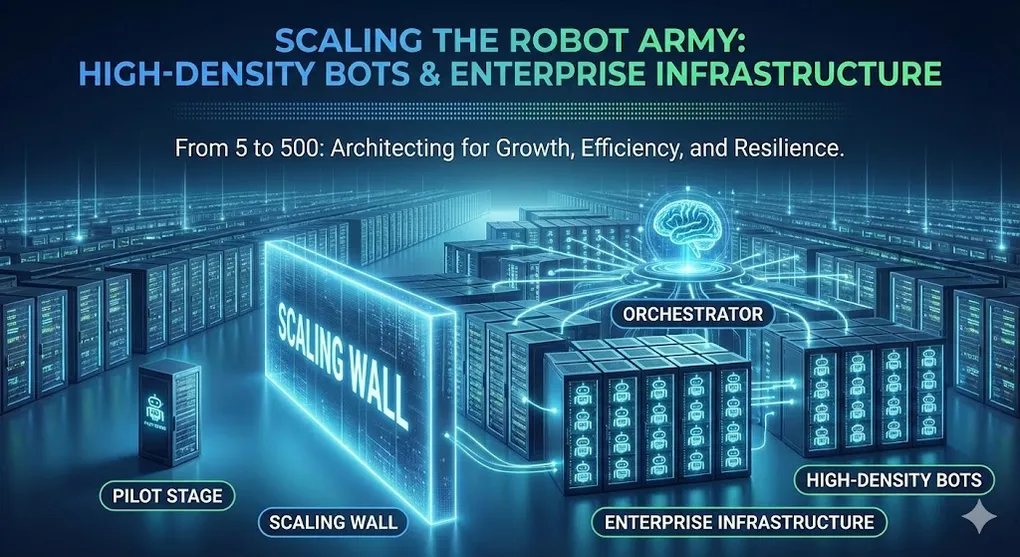
Scaling the Robot Army: High-Density Infrastructure for Enterprise RPA
“We need 50 robots by Q2.”
Scaling from 2 robots to 50 isn’t just about buying more licenses; it’s an engineering challenge. You can’t just keep adding laptops under desks. You need a robust, server-grade infrastructure.
1. The Bottleneck: One User, One Machine?
In classical Windows architecture, a workstation runs one active user session at a time. This is inefficient for RPA.
The Old Way: 1 VM = 1 Robot
┌─────────────────────────────────────────────────────────────────┐
│              Standard Virtualization (Inefficient)               │
├─────────────────────────────────────────────────────────────────┤
│                                                                  │
│   ┌──────────────┐     ┌──────────────┐     ┌──────────────┐     │
│   │   VM 01      │     │   VM 02      │     │   VM 03      │     │
│   ├──────────────┤     ├──────────────┤     ├──────────────┤     │
│   │ OS: Windows  │     │ OS: Windows  │     │ OS: Windows  │     │
│   │ RAM: 8GB     │     │ Bot: 1       │     │ Bot: 1       │     │
│   │ Bot: 1       │     └──────────────┘     └──────────────┘     │
│   └──────────────┘                                               │
│                                                                  │
│   Resource Cost: High (3x OS overhead)                           │
│   Management: Painful (Patching 50 VMs)                          │
│                                                                  │
└─────────────────────────────────────────────────────────────────┘
2. High-Density Robots (HDR)
Modern RPA platforms (like UiPath) support High-Density Deployment on Windows Server.
Concept: Use Windows Server (2016/2019/2022) with RDS (Remote Desktop Services) enabled. This allows multiple users (robots) to log in to the same machine simultaneously, each in their own session.
┌─────────────────────────────────────────────────────────────────┐
│              High-Density Architecture (Efficient)               │
├─────────────────────────────────────────────────────────────────┤
│                                                                  │
│   ┌─────────────────────────────────────────────────────────┐    │
│   │                 High-Spec Server (VM)                   │    │
│   │             (Windows Server + RDS Enabled)              │    │
│   ├─────────────────────────────────────────────────────────┤    │
│   │                                                         │    │
│   │   ┌────────┐   ┌────────┐   ┌────────┐   ┌────────┐     │    │
│   │   │ Bot 1  │   │ Bot 2  │   │ Bot 3  │   │ Bot 4  │     │    │
│   │   │ Session│   │ Session│   │ Session│   │ Session│     │    │
│   │   └────────┘   └────────┘   └────────┘   └────────┘     │    │
│   │                                                         │    │
│   │   Shared OS Resources (CPU, Memory, Disk)               │    │
│   └─────────────────────────────────────────────────────────┘    │
│                                                                  │
│   Result: 1 Server runs 4-10 Robots                             │
│   Benefit: Less OS patching, lower cloud compute costs          │
│                                                                  │
└─────────────────────────────────────────────────────────────────┘
Constraints of HDR
- Application Compatibility: Some legacy apps crash if opened twice on the same machine.
- Resource Contention: One bot using 100% CPU slows down all others on that server.
3. Orchestration & Load Balancing
When you have 50 bots, you don’t assign tasks to specific machines. You assign them to a Machine Template.
Modern Queues architecture
- Orchestrator holds the queue of 1,000 invoices.
- Floating Robots on any available machine ask: “Do you have work?”
- Dynamic Allocation: If Server A goes down, Server B picks up the work automatically.
4. Disaster Recovery (DR) & HA
For mission-critical bots (e.g., payroll, banking transactions), you need High Availability.
┌─────────────────────────────────────────────────────────────────┐
│              High Availability (HA) Setup                        │
├─────────────────────────────────────────────────────────────────┤
│                                                                  │
│       User / API Trigger                                         │
│               │                                                  │
│         ┌─────▼──────┐       (Load Balancer)                     │
│         │     F5     │─────────────────────────┐                 │
│         └─────┬──────┘                         │                 │
│               │                                │                 │
│       ┌───────▼────────┐             ┌─────────▼───────┐         │
│       │ Orchestrator 1 │◄──Sync───►  │ Orchestrator 2  │         │
│       │    (Active)    │             │    (Active)     │         │
│       └───────┬────────┘             └─────────┬───────┘         │
│               │                                │                 │
│         ┌─────▼────────────────────────────────▼─────┐           │
│         │            SQL Server AlwaysOn             │           │
│         │          (Database Cluster)                │           │
│         └────────────────────────────────────────────┘           │
│                                                                  │
└─────────────────────────────────────────────────────────────────┘- Multi-Node Orchestrator: Run at least 2 instances behind a Load Balancer.
- SQL AlwaysOn: The database is the brain. If DB dies, robots die. Use Active-Passive clustering.
- Geo-Redundancy: If the East Coast data center floods, spin up bots in the West Coast.
5. Licensing: Attended vs. Unattended vs. Testing
| License Type | Meaning | Best For |
|---|---|---|
| Attended | Bot assists a human (runs on their PC). | Call Centers, “Co-pilot” |
| Unattended | Runs on a server, scheduled, no human seeing it. | Batch jobs, heavy processing |
| Testing | For QA environments only. Cheaper. | Non-production pipelines |
| Non-Production | Unattended for Dev/Test. | Development |
Summary
Scaling isn’t linear. The complexity jumps when you cross user sessions and server boundaries.
- Use High-Density (Windows Server) to save compute costs.
- Treat robots like cattle, not pets. Use floating bots and machine templates.
- SQL Server is your single point of failure—protect it.
Credential & Security Management
Enterprise RPA handles sensitive data. Security isn’t optional.
Where to Store Credentials
┌─────────────────────────────────────────────────────────────────┐
│                    Credential Storage Options                    │
├─────────────────────────────────────────────────────────────────┤
│                                                                  │
│   OPTION                 SECURITY    MANAGEMENT    BEST FOR     │
│   ──────                 ────────    ──────────    ────────     │
│                                                                  │
│   Orchestrator Assets    ★★★★★       Easy          Production    │
│   (Credential type)      Encrypted   Central       All bots     │
│                          RBAC        Audited                    │
│                                                                  │
│   Windows Credential     ★★★★        Medium        Attended      │
│   Manager                OS-level    Per-machine   Single user  │
│                                                                  │
│   Config.xlsx            ★           Poor          NEVER        │
│   (Plain text)           None        No audit      (Don't do)   │
│                                                                  │
│   Azure Key Vault        ★★★★★       Complex       Enterprise    │
│   / HashiCorp Vault      Best-in-class Central    Multi-system │
│                                                                  │
└─────────────────────────────────────────────────────────────────┘
Orchestrator Assets: The Standard
Creating a Credential Asset:
- Orchestrator → Assets → Add Asset
- Type: Credential
- Enter username and password
- Set folder/robot permissions
Retrieving in Workflow:
' Get Credential activity
credential = GetCredential("SAP_ServiceAccount")
username = credential.Username           ' SecureString
password = credential.Password           ' SecureString
passwordPlain = credential.GetNetworkCredential().Password
Service Account vs User Account
| Aspect | User Account | Service Account |
|---|---|---|
| Tied to | Individual person | Role/function |
| Password expiry | Frequent (90 days) | Long or never |
| Risk of lockout | Employee leaves | Lower (not personal) |
| Audit trail | ”John ran the bot" | "Bot Account ran” |
| Best practice | Attended only | Unattended bots |
Rule: Every unattended bot should use a dedicated service account, never a personal account.
API Keys and Secrets
For external APIs (not Windows credentials):
' Store as Text Asset (with Per-Robot value if needed)
apiKey = GetAsset("ExternalAPI_Key")

' Better: Use Credential asset with dummy username
cred = GetCredential("ExternalAPI")
apiKey = cred.Password  ' Store the key as "password"
Compliance Considerations
| Standard | Requirement | RPA Implementation |
|---|---|---|
| SOC 2 | Access controls, audit logs | Orchestrator RBAC + logs |
| ISO 27001 | Information security management | Encrypted credentials, access review |
| GDPR | Data protection | No PII in logs, encryption |
| HIPAA | Healthcare data protection | PHI never in plain text logs |
Security Best Practices Checklist
| Category | Checklist Item |
|---|---|
| Credentials | ☐ All credentials in Orchestrator Assets |
| ☐ No passwords in code or Config.xlsx | |
| ☐ Service accounts for unattended bots | |
| ☐ Regular credential rotation schedule | |
| Logging | ☐ No sensitive data in log messages |
| ☐ Mask PII in logs (last 4 digits only) | |
| ☐ Log access is restricted | |
| Access | ☐ Least-privilege robot permissions |
| ☐ Folder-based access control | |
| ☐ Regular access reviews | |
| Network | ☐ Bots on segregated network (if possible) |
| ☐ Firewall rules limit outbound access | |
| ☐ VPN for remote Orchestrator access |
Handling Sensitive Data in Logs
Bad (Exposes data):
Log.Info($"Processing credit card: {cardNumber}")Good (Masked):
maskedCard = "****-****-****-" & cardNumber.Substring(cardNumber.Length - 4)
Log.Info($"Processing credit card: {maskedCard}")