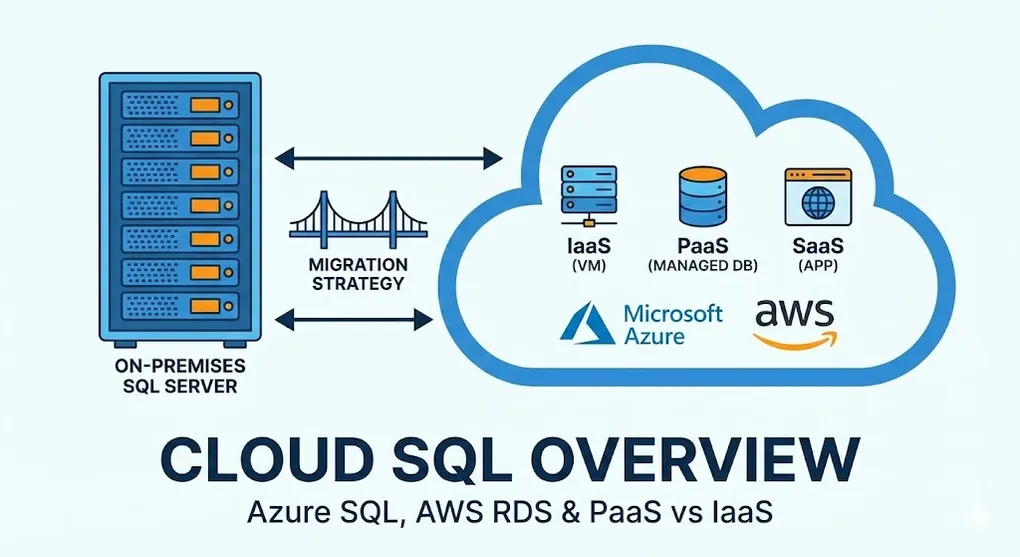
Cloud SQL Overview: Azure SQL, AWS RDS & PaaS vs IaaS
Prerequisites: Solid understanding of SQL Server fundamentals. See DB 01-08 for on-premises concepts.
Moving SQL Server to the cloud? This guide covers your options, trade-offs, and migration strategies.
Part A: Cloud Database Models
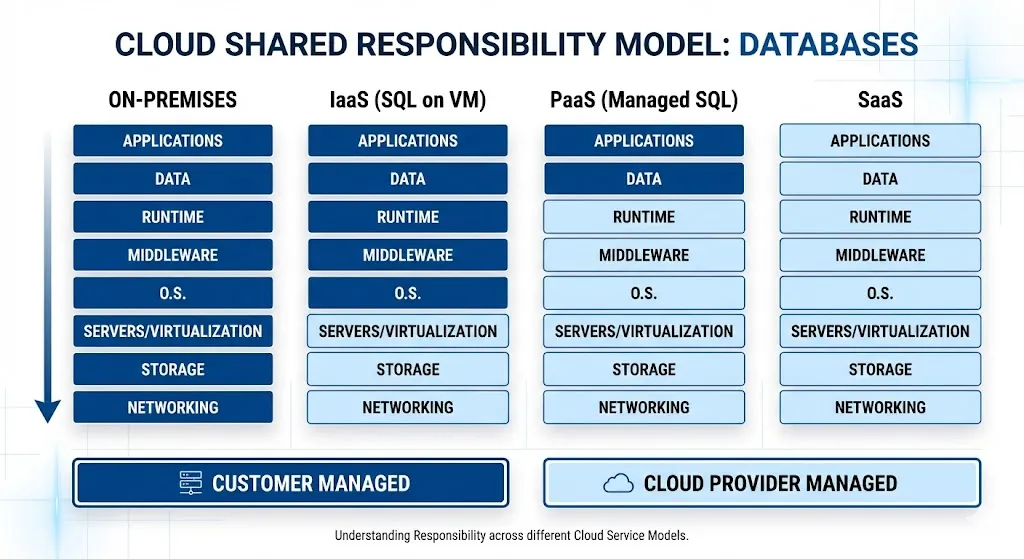
1. IaaS vs PaaS vs SaaS
graph TD
    subgraph "IaaS (VM with SQL)"
        I1[You manage: OS, SQL, Data]
        I2[Cloud provides: Hardware, Network]
    end

    subgraph "PaaS (Managed SQL)"
        P1[You manage: Data, Schema]
        P2[Cloud provides: Everything else]
    end

    subgraph "SaaS (Built-in DB)"
        S1[You manage: Nothing]
        S2[Cloud provides: Complete app]
    end

    style I1 fill:#e74c3c,color:#fff
    style P1 fill:#f39c12,color:#fff
    style S1 fill:#27ae60,color:#fff
2. Comparison Table
| Aspect | IaaS (SQL on VM) | PaaS (Managed) |
|---|---|---|
| Setup | Install SQL yourself | Click and deploy |
| Patching | Your responsibility | Automatic |
| HA/DR | Configure yourself | Built-in options |
| Backup | Script it | Automatic (PITR) |
| Scaling | Resize VM | Slider/auto-scale |
| Cost control | Pay for VM always | Pay per usage |
| Customization | Full control | Limited |
| SQL Agent | ✓ Available | ✗ Not available |
| FILESTREAM | ✓ Available | ✗ Not available |
Part B: Azure SQL Options
3. Azure SQL Family
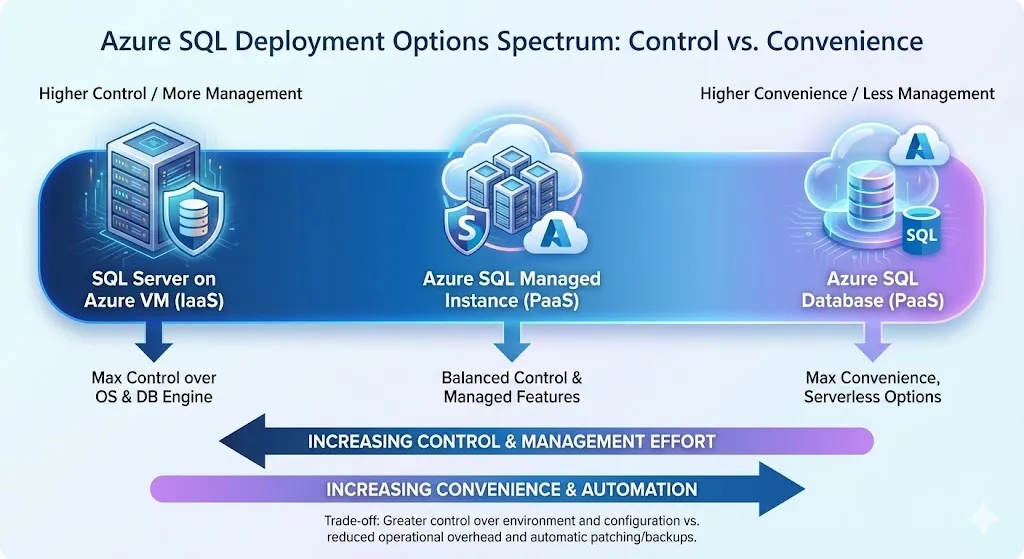
graph TD
    AZ[Azure SQL] --> DB[Azure SQL Database<br/>PaaS - Single DB]
    AZ --> MI[Managed Instance<br/>PaaS - Near 100% compat]
    AZ --> VM[SQL Server on Azure VM<br/>IaaS - Full control]

    style DB fill:#3498db,color:#fff
    style MI fill:#27ae60,color:#fff
    style VM fill:#f39c12,color:#fff
4. Azure SQL Database
Best for: New cloud-native applications
| Feature | Details |
|---|---|
| Model | Serverless or Provisioned |
| Scaling | DTU or vCore based |
| HA | Built-in (99.99% SLA) |
| Backup | Automatic PITR (7-35 days) |
| Geo-replication | Active geo-replication |
-- Create database in Azure
CREATE DATABASE MyAppDB
(
    EDITION = 'GeneralPurpose',
    SERVICE_OBJECTIVE = 'GP_Gen5_2',
    MAXSIZE = 100 GB
);
DTU vs vCore Explained
Model What It Is Best For DTU Black-box bundle (CPU + Memory + IO) Simple apps, predictable workloads vCore Explicit CPU cores (like on-prem) Hybrid Benefit (AHUB), fine control Tip: If you want to use Azure Hybrid Benefit to save money, you must choose the vCore model.
Serverless vs Provisioned
| Aspect | Serverless | Provisioned |
|---|---|---|
| Billing | Per-second compute | Fixed monthly |
| Auto-pause | Yes (save costs) | No |
| Cold start | ~1 minute | None |
| Best for | Dev/test, variable load | Production, predictable |
5. Azure SQL Managed Instance
Best for: Lift-and-shift migration with near 100% compatibility
| Feature | SQL DB | Managed Instance |
|---|---|---|
| SQL Agent | ✗ | ✓ |
| Cross-database queries | ✗ | ✓ |
| CLR | ✗ | ✓ |
| Linked servers | ✗ | ✓ |
| Service Broker | ✗ | ✓ |
| DB Mail | ✗ | ✓ |
When to Choose Managed Instance
- Legacy applications with SQL Agent jobs
- Cross-database queries required
- Need CLR or linked servers
- Want minimal code changes during migration
MI Network Complexity
Managed Instance requires a dedicated subnet in your VNet and typically needs VPN or ExpressRoute for on-prem connectivity. This is more complex than Azure SQL Database (which uses public endpoints by default).
Service Tiers: Performance Levels
| Tier | Storage | HA Architecture | Read Scale-out |
|---|---|---|---|
| General Purpose | Remote (Standard SSD) | Similar to FCI | ✗ No |
| Business Critical | Local SSD | Built-in Always On AG | ✓ Yes (free!) |
Performance Tip: Business Critical tier offers significantly lower latency and includes a free read replica for reporting queries.
6. SQL Server on Azure VM
Best for: Full control, special features, or licensing benefits
| Scenario | Use Azure VM |
|---|---|
| FILESTREAM needed | ✓ |
| Custom SQL configuration | ✓ |
| Bring your own license (AHUB) | ✓ |
| Windows clustering | ✓ |
| Third-party tools requiring OS access | ✓ |
Part C: AWS Options
7. AWS SQL Server Options
graph TD
    AWS[AWS SQL Server] --> RDS[Amazon RDS<br/>PaaS]
    AWS --> EC2[SQL on EC2<br/>IaaS]

    style RDS fill:#3498db,color:#fff
    style EC2 fill:#f39c12,color:#fff
8. Amazon RDS for SQL Server
| Feature | Details |
|---|---|
| Editions | Express, Web, Standard, Enterprise |
| Multi-AZ | Automatic failover (Mirroring or Always On behind the scenes) |
| Read Replicas | ✓ Supported (Enterprise/Standard, up to 5 replicas) |
| Backup | Automated daily snapshots + Transaction logs (5 min RPO) |
RDS Limitations
| Feature | Supported? |
|---|---|
| SQL Agent | ✓ Yes (standard jobs work, no OS access) |
| Linked Servers | ✓ Yes (to other cloud/on-prem DBs) |
| FILESTREAM | ✗ No (file system access blocked) |
| DTC (Distributed Transactions) | ✓ Yes (recently supported with prerequisites) |
| OS/RDP Access | ✗ No (it’s PaaS) |
9. Comparison: Azure vs AWS
| Aspect | Azure SQL MI | AWS RDS |
|---|---|---|
| Compatibility | ~99% | ~95% |
| SQL Agent | Full | ✓ Full (no OS shell access) |
| Cross-DB queries | ✓ | ✗ |
| Linked servers | ✓ | Limited |
| BYOL | ✓ | ✓ |
| Read Replicas | ✓ (geo-replication) | ✓ (Enterprise, cross-region) |
AWS RDS Update (2024): RDS for SQL Server now supports Read Replicas for Enterprise Edition, including cross-region. SQL Agent is fully functional (only OS-level shell commands are restricted).
Part D: Migration Strategies
10. Migration Assessment
flowchart TD
    START[Assess Workload] --> Q1{Compatible with PaaS?}
    Q1 -->|Yes| Q2{Need SQL Agent?}
    Q1 -->|No| VM[Use IaaS VM]

    Q2 -->|Yes| MI[Azure SQL MI]
    Q2 -->|No| Q3{Predictable load?}

    Q3 -->|Yes| DB_PROV[SQL DB Provisioned]
    Q3 -->|No| DB_SL[SQL DB Serverless]

    style MI fill:#27ae60,color:#fff
    style DB_PROV fill:#3498db,color:#fff
    style DB_SL fill:#9b59b6,color:#fff
    style VM fill:#f39c12,color:#fff
11. Migration Tools
| Tool | Purpose |
|---|---|
| Data Migration Assistant (DMA) | Compatibility assessment |
| Azure Migrate | Discover and assess on-prem DBs |
| Database Migration Service (DMS) | Online migration with minimal downtime |
| BACPAC | Export/import for smaller databases |
12. Migration Methods
| Method | Downtime | Best For |
|---|---|---|
| Backup/Restore | Hours | Small DBs, test environments |
| BACPAC | Hours | Schema + data, small DBs |
| Transactional Replication | Minutes | Large DBs, minimal downtime |
| Azure DMS (online) | Minutes | Production migrations |
| Log Shipping | Minutes | Large DBs, controlled cutover |
Online Migration with DMS
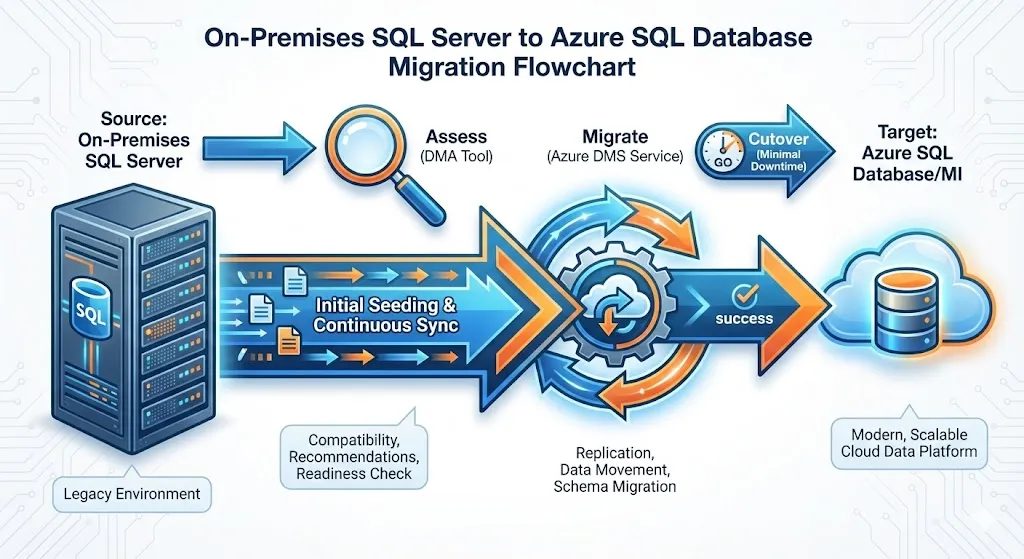
sequenceDiagram
    participant Source as On-Prem SQL
    participant DMS as Azure DMS
    participant Target as Azure SQL

    Source->>DMS: Initial full backup
    DMS->>Target: Restore

    loop Continuous sync
        Source->>DMS: Transaction logs
        DMS->>Target: Apply changes
    end

    Note over Source,Target: Cutover when ready

    Source--xDMS: Stop sync
    Target->>Target: Become primary
Part E: Cost Optimization
13. Cost Saving Strategies
| Strategy | Savings | Applicable To |
|---|---|---|
| Reserved capacity | Up to 80% | Predictable workloads |
| Hybrid Benefit (AHUB) | Up to 55% | Existing SA licenses |
| Serverless auto-pause | Significant | Dev/test, intermittent |
| Right-sizing | 20-50% | Over-provisioned DBs |
| Elastic pools | 20-50% | Multiple small DBs |
14. Azure Hybrid Benefit
Already have SQL Server license with Software Assurance?
→ Apply it to Azure SQL for up to 55% savings!

License Type → Azure Savings:
Enterprise Core → 4 vCores in Azure
Standard Core → 1 vCore in Azure
Summary
Decision Quick Reference
| Scenario | Recommendation |
|---|---|
| New cloud-native app | Azure SQL Database |
| Lift-and-shift with SQL Agent | Azure SQL Managed Instance |
| Maximum compatibility needed | SQL on Azure VM |
| AWS ecosystem | RDS for SQL Server |
| Full control on AWS | SQL on EC2 |
Migration Checklist
- Run DMA compatibility assessment
- Check unsupported features
- Size appropriately (don't over-provision)
- Plan backup strategy
- Test application connectivity
- Plan cutover window
- Document rollback procedure
- Update connection strings
Key Takeaways
- PaaS = Less management → patching, backup, HA automatic
- Managed Instance → best compatibility for migrations
- Serverless → great for dev/test, variable workloads
- Hybrid Benefit → significant savings with existing licenses
- Assess first → use DMA before migrating
Practice Questions
Conceptual
-
What is the difference between IaaS and PaaS for SQL Server in the cloud?
-
Compare Azure SQL Database vs Azure SQL Managed Instance. When would you choose each?
-
What is the Azure Hybrid Benefit and how does it save costs?
Scenario
-
Migration Decision: A company has an on-premises SQL Server with heavy use of SQL Agent jobs, linked servers, and cross-database queries. Which Azure option would you recommend and why?
-
Cost Optimization: A dev/test database is used only during business hours (8am-6pm). How would you configure it to minimize costs?