Hero image for Data Modeling Guide: Inmon, Kimball & Data Vault Compared

Data Modeling Guide: Inmon, Kimball & Data Vault Compared

Data Modeling Kimball Inmon Data Vault Star Schema

The Three Philosophies

Data modeling methodologies answer: How should we organize data in our warehouse?

MethodologyCreatorPhilosophyApproach
InmonBill InmonEnterprise-firstTop-down, normalized
KimballRalph KimballBusiness-firstBottom-up, dimensional
Data VaultDan LinstedtFlexibility-firstHub-satellite, historical

1. Inmon: Enterprise Data Warehouse (EDW)

Core Philosophy

“Build one integrated, normalized enterprise data warehouse first, then create departmental data marts.”

Architecture

Sources          Enterprise DW (3NF)          Data Marts
   │                    │                         │
   ▼                    ▼                         ▼
┌──────┐           ┌─────────┐              ┌──────────┐
│ OLTP │──────────▶│ Single  │─────────────▶│  Sales   │
│  DB  │           │ Source  │              │   Mart   │
└──────┘           │   of    │              └──────────┘
┌──────┐           │  Truth  │              ┌──────────┐
│ ERP  │──────────▶│ (3NF)   │─────────────▶│ Finance  │
└──────┘           │         │              │   Mart   │
┌──────┐           │         │              └──────────┘
│ CRM  │──────────▶│         │              ┌──────────┐
└──────┘           └─────────┘              │Marketing │
                                            │   Mart   │
                                            └──────────┘

Key Characteristics

AspectDescription
Normalization3NF (Third Normal Form) - minimize redundancy
ApproachTop-down: design entire enterprise model first
FocusData consistency and integration
Data MartsCreated FROM the central warehouse
DevelopmentLonger initial build, more stable long-term

Example Schema (3NF)

-- Normalized: separate tables, linked by foreign keys
CREATE TABLE customers (
    customer_id INT PRIMARY KEY,
    name VARCHAR(100),
    address_id INT REFERENCES addresses(address_id)
);

CREATE TABLE addresses (
    address_id INT PRIMARY KEY,
    street VARCHAR(200),
    city VARCHAR(100),
    country_id INT REFERENCES countries(country_id)
);

CREATE TABLE countries (
    country_id INT PRIMARY KEY,
    country_name VARCHAR(100),
    region VARCHAR(50)
);

CREATE TABLE orders (
    order_id INT PRIMARY KEY,
    customer_id INT REFERENCES customers(customer_id),
    order_date DATE,
    status VARCHAR(20)
);

Pros & Cons

✅ Pros❌ Cons
Single source of truthLong development time
Minimal data redundancyComplex queries (many JOINs)
Easier maintenanceSlower query performance
Strong data governanceRequires upfront enterprise buy-in
Handles complex relationshipsLess intuitive for business users

2. Kimball: Dimensional Modeling

Core Philosophy

“Build dimensional data marts focused on business processes first. Integration happens through conformed dimensions.”

Architecture

Sources          Staging          Dimensional Data Marts
   │                │                      │
   ▼                ▼                      ▼
┌──────┐       ┌─────────┐           ┌──────────────┐
│ POS  │──────▶│ Stage   │──────────▶│   Sales      │
└──────┘       │  Area   │           │  Star Schema │
               │         │           └──────────────┘
┌──────┐       │         │           ┌──────────────┐
│ Web  │──────▶│         │──────────▶│  E-commerce  │
└──────┘       │         │           │  Star Schema │
               │         │           └──────────────┘
               └─────────┘
                                   ┌──────────────────┐
                                   │    Conformed     │
                                   │   Dimensions     │
                                   │ (Date, Customer) │
                                   └──────────────────┘

Key Characteristics

AspectDescription
DenormalizationStar/Snowflake schema - optimized for reads
ApproachBottom-up: build marts incrementally
FocusBusiness user accessibility and performance
IntegrationVia conformed dimensions across marts
DevelopmentFast initial value, iterative expansion

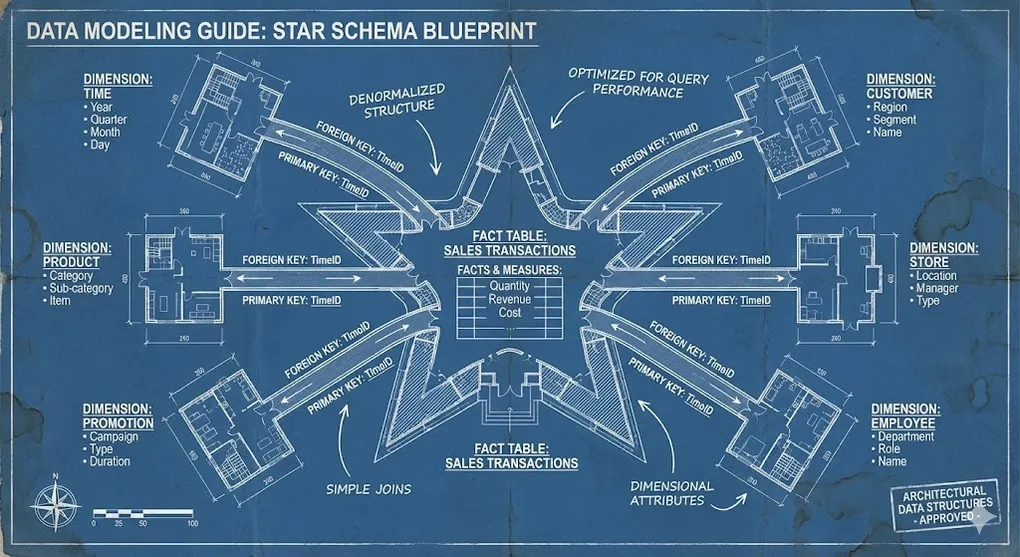
Star Schema Explained

                    ┌─────────────────┐
                    │   dim_date      │
                    │─────────────────│
                    │ date_key (PK)   │
                    │ full_date       │
                    │ day_of_week     │
                    │ month           │
                    │ quarter         │
                    │ year            │
                    └────────┬────────┘

┌─────────────────┐          │          ┌─────────────────┐
│  dim_product    │          │          │  dim_customer   │
│─────────────────│          │          │─────────────────│
│ product_key(PK) │          │          │customer_key(PK) │
│ product_name    │          │          │ customer_name   │
│ category        │          │          │ segment         │
│ brand           │          │          │ region          │
└────────┬────────┘          │          └────────┬────────┘
         │                   │                   │
         │      ┌────────────┴────────────┐      │
         │      │       fact_sales        │      │
         │      │─────────────────────────│      │
         └──────│ date_key (FK)           │──────┘
                │ product_key (FK)        │
                │ customer_key (FK)       │
                │ store_key (FK)          │
                │─────────────────────────│
                │ quantity (measure)      │
                │ revenue (measure)       │
                │ discount (measure)      │
                └─────────────────────────┘

Fact vs Dimension Tables

AspectFact TableDimension Table
ContentMeasurements, metricsDescriptive attributes
SizeVery large (millions/billions)Smaller (thousands/millions)
KeysForeign keys to dimensionsPrimary key + attributes
ExamplesSales, Clicks, TransactionsCustomer, Product, Date, Store
UpdatesAppend-only (typically)Slowly changing (SCD)

Example Schema (Star)

-- Dimension: denormalized for query performance
CREATE TABLE dim_customer (
    customer_key INT PRIMARY KEY,      -- Surrogate key
    customer_id VARCHAR(20),           -- Natural/business key
    customer_name VARCHAR(100),
    street VARCHAR(200),
    city VARCHAR(100),
    country VARCHAR(100),              -- Denormalized!
    region VARCHAR(50),                -- Denormalized!
    segment VARCHAR(50),
    -- SCD Type 2 columns
    valid_from DATE,
    valid_to DATE,
    is_current BOOLEAN
);

-- Fact: measures linked to dimensions
CREATE TABLE fact_sales (
    date_key INT REFERENCES dim_date(date_key),
    product_key INT REFERENCES dim_product(product_key),
    customer_key INT REFERENCES dim_customer(customer_key),
    store_key INT REFERENCES dim_store(store_key),
    -- Measures
    quantity INT,
    unit_price DECIMAL(10,2),
    total_revenue DECIMAL(12,2),
    discount_amount DECIMAL(10,2),
    PRIMARY KEY (date_key, product_key, customer_key, store_key)
);

Types of Fact Tables

TypeDescriptionExample
TransactionOne row per eventEach sale, each click
Periodic SnapshotOne row per periodMonthly inventory levels
Accumulating SnapshotOne row per lifecycleOrder from created → shipped → delivered
Factless FactNo measures, just relationshipsStudent attendance (who attended which class)

Snowflake Schema

A variation where dimensions are further normalized:

┌──────────┐     ┌──────────┐     ┌──────────┐
│ Category │────▶│ Product  │────▶│   Fact   │
└──────────┘     └──────────┘     │  Sales   │
                                  └──────────┘
Star SchemaSnowflake Schema
Dimensions fully denormalizedDimensions partially normalized
Fewer JOINsMore JOINs
More storageLess storage
Faster queriesSlightly slower
Simpler to understandMore complex structure

Pros & Cons

✅ Pros❌ Cons
Fast query performanceData redundancy
Business user friendlyHarder to maintain dimension updates
Quick time-to-valueRequires careful dimension conforming
Intuitive navigationLess flexible for new requirements
BI tool optimizedAd-hoc analysis can be limited

Core Philosophy

“Separate business keys (Hubs), relationships (Links), and descriptive context (Satellites) for maximum flexibility and full history.”

Architecture

Sources          Raw Vault                     Business Vault
   │                 │                              │
   ▼                 ▼                              ▼
┌──────┐       ┌──────────────┐              ┌──────────────┐
│ CRM  │──────▶│    Hubs      │─────────────▶│    Star      │
└──────┘       │   Links      │              │   Schema     │
               │  Satellites  │              │    (PIT)     │
┌──────┐       │              │              └──────────────┘
│ ERP  │──────▶│              │                    │
└──────┘       └──────────────┘                    ▼
                                             ┌──────────────┐
                                             │     BI       │
                                             │    Tools     │
                                             └──────────────┘

Core Components

ComponentDescriptionContains
HubBusiness entity (unique keys)Surrogate key, business key, load date, source
LinkRelationship between hubsSurrogate key, hub foreign keys, load date, source
SatelliteDescriptive data (temporal)Hub/Link FK, attributes, load date, source

Visual Representation

       ┌─────────────────────┐
       │   SAT_CUSTOMER      │
       │─────────────────────│
       │ customer_hk (FK)    │
       │ load_date           │
       │ name                │
       │ email               │
       │ phone               │
       └──────────┬──────────┘

       ┌──────────▼──────────┐           ┌─────────────────────┐
       │   HUB_CUSTOMER      │           │   SAT_ORDER         │
       │─────────────────────│           │─────────────────────│
       │ customer_hk (PK)    │           │ order_hk (FK)       │
       │ customer_bk         │           │ load_date           │
       │ load_date           │           │ status              │
       │ record_source       │           │ total_amount        │
       └──────────┬──────────┘           └──────────┬──────────┘
                  │                                  │
                  │      ┌─────────────────────┐     │
                  └──────│  LINK_CUST_ORDER    │─────┘
                         │─────────────────────│
                         │ link_hk (PK)        │
                         │ customer_hk (FK)    │──────┐
                         │ order_hk (FK)       │──────┤
                         │ load_date           │      │
                         │ record_source       │      │
                         └─────────────────────┘      │

                                           ┌──────────▼──────────┐
                                           │   HUB_ORDER         │
                                           │─────────────────────│
                                           │ order_hk (PK)       │
                                           │ order_bk            │
                                           │ load_date           │
                                           │ record_source       │
                                           └─────────────────────┘

Example Schema

-- Hub: business keys only
CREATE TABLE hub_customer (
    customer_hk BINARY(32) PRIMARY KEY,  -- Hash key (MD5/SHA)
    customer_bk VARCHAR(50),             -- Business key (original ID)
    load_date TIMESTAMP,
    record_source VARCHAR(50)
);

-- Satellite: descriptive data with history
CREATE TABLE sat_customer (
    customer_hk BINARY(32) REFERENCES hub_customer(customer_hk),
    load_date TIMESTAMP,
    load_end_date TIMESTAMP,             -- For SCD Type 2
    name VARCHAR(100),
    email VARCHAR(100),
    phone VARCHAR(20),
    record_source VARCHAR(50),
    PRIMARY KEY (customer_hk, load_date)
);

-- Link: relationships
CREATE TABLE link_customer_order (
    link_hk BINARY(32) PRIMARY KEY,
    customer_hk BINARY(32) REFERENCES hub_customer(customer_hk),
    order_hk BINARY(32) REFERENCES hub_order(order_hk),
    load_date TIMESTAMP,
    record_source VARCHAR(50)
);

Key Characteristics

AspectDescription
Hash KeysUses hash of business key as surrogate (parallel loading)
Insert-OnlyNever update/delete - always insert new version
Full HistoryEvery change is captured with timestamp
Source TrackingEvery record knows where it came from
Schema StabilityHubs/Links rarely change, Satellites can extend

Pros & Cons

✅ Pros❌ Cons
Complete audit historyComplex, many tables
Highly adaptable to changeQuery performance (many JOINs)
Parallel loading friendlyLearning curve
Source agnosticNeeds business vault for reporting
Handles late-arriving dataMore storage needed

PIT and Bridge Tables (Performance Optimization)

Data Vault’s normalized structure creates a JOIN-heavy query pattern. PIT (Point-In-Time) and Bridge tables solve this:

Table TypePurposeHow It Works
PIT TableSpeed up time-based queriesPre-calculates which satellite version is valid at each point in time
Bridge TableFlatten many-to-many linksPre-joins complex link paths for faster traversal
-- PIT Table Example
-- Instead of complex JOINs with date range logic...
CREATE TABLE pit_customer AS
SELECT 
    d.snapshot_date,
    h.customer_hk,
    s_name.sat_customer_hk as name_hk,        -- Which satellite version
    s_contact.sat_contact_hk as contact_hk    -- is valid on this date
FROM dim_date d
CROSS JOIN hub_customer h
LEFT JOIN sat_customer_name s_name 
    ON h.customer_hk = s_name.customer_hk
    AND d.snapshot_date BETWEEN s_name.load_date AND s_name.load_end_date
-- ... more satellites
;

-- Query becomes simple:
SELECT * FROM pit_customer WHERE snapshot_date = '2024-06-15';

Why PIT Tables Matter: Without PIT tables, every query to Data Vault requires complex date-range JOIN logic across multiple satellites. PIT pre-computes this, making the Business Vault queries performant.


4. Comparison Matrix

High-Level Comparison

CriteriaInmonKimballData Vault
ApproachTop-downBottom-upHybrid
Normalization3NF (high)Denormalized (low)Insert-only (unique)
Time to First ValueLongShortMedium
Query PerformanceMediumHighLow (raw) / High (marts)
FlexibilityMediumMediumHigh
Historical TrackingVia SCDVia SCDNative (all data)
Learning CurveMediumLowHigh
Development EffortHigh upfrontIncrementalHigh upfront

When to Use

MethodologyBest For
InmonLarge enterprises, complex integrations, long-term vision
KimballBI-focused teams, quick wins, business user self-service
Data VaultRegulatory industries, multiple sources, frequent changes

Decision Framework

┌─────────────────────────────────────────────────────────────────┐
│                    Methodology Decision Tree                     │
├─────────────────────────────────────────────────────────────────┤
│                                                                  │
│  Q1: Primary goal?                                              │
│      │                                                           │
│      ├── Quick BI dashboards ──▶ KIMBALL                        │
│      │                                                           │
│      ├── Enterprise integration ──▶ INMON                       │
│      │                                                           │
│      └── Audit/compliance/flexibility ──▶ DATA VAULT            │
│                                                                  │
│  Q2: Team skills?                                               │
│      │                                                           │
│      ├── SQL-heavy, business-focused ──▶ KIMBALL                │
│      │                                                           │
│      ├── Data modeling experts ──▶ INMON or DATA VAULT          │
│      │                                                           │
│      └── Mixed/growing team ──▶ KIMBALL (start), evolve later   │
│                                                                  │
└─────────────────────────────────────────────────────────────────┘

5. Modern Hybrid Approaches

In practice, many organizations combine methodologies:

Data Vault + Kimball

Sources → Data Vault (Raw) → Kimball Star Schemas (Business)
  • Data Vault for raw data integration, audit, history
  • Kimball for BI-optimized marts consumed by users

Lakehouse + Medallion + Kimball

Sources → Bronze (Raw) → Silver (Cleaned) → Gold (Star Schema)
  • Medallion layers for data organization
  • Kimball dimensional modeling in Gold layer

dbt + Kimball

-- dbt model: dims and facts as code
{{
  config(
    materialized='table',
    unique_key='customer_key'
  )
}}

SELECT
    {{ dbt_utils.generate_surrogate_key(['customer_id']) }} as customer_key,
    customer_id,
    name,
    email,
    CURRENT_TIMESTAMP as valid_from,
    '9999-12-31'::date as valid_to,
    true as is_current
FROM {{ ref('stg_customers') }}

One Big Table (OBT) Pattern

In modern columnar warehouses (Snowflake/BigQuery), storage is cheap but JOINs are expensive. Many teams flatten Star Schemas into a single wide table:

           Star Schema                           One Big Table (OBT)
               │                                        │
               ▼                                        ▼
       dim ← fact → dim                    ┌─────────────────────────────┐
            │                              │  All dims + facts in    │
            ▼                              │  one pre-joined table   │
       4+ JOINs                            └─────────────────────────────┘
                                                  0 JOINs
AspectStar SchemaOBT
JOINs at query time4-8 JOINs0 JOINs
StorageLess (normalized)More (denormalized)
Query performanceGoodExcellent
BI tool compatibilityStandardOptimal
MaintenanceMore complexSimpler consumption
-- dbt model: Creating OBT from Star Schema
{{ config(materialized='table') }}

SELECT
    -- Fact measures
    f.order_date,
    f.quantity,
    f.revenue,
    -- All dimension attributes flattened
    c.customer_name,
    c.customer_segment,
    c.customer_region,
    p.product_name,
    p.product_category,
    p.brand,
    s.store_name,
    s.store_city
FROM {{ ref('fct_sales') }} f
JOIN {{ ref('dim_customer') }} c ON f.customer_key = c.customer_key
JOIN {{ ref('dim_product') }} p ON f.product_key = p.product_key
JOIN {{ ref('dim_store') }} s ON f.store_key = s.store_key

When to use OBT: When Power BI/Tableau performance is critical, and your analysts prefer simple SELECT * FROM obt_sales queries. Trade storage cost for query speed.


6. Summary: The Library Analogy 📚

MethodologyLibrary Analogy
InmonAcademic library: carefully cataloged, one classification system, access via trained librarian
KimballPublic library: books organized by popular sections (Fiction, History), easy browsing
Data VaultArchive: every document version kept, tagged with source and date, researchers can find anything

7. The Grand Unification: How They Work Together

These four methodologies are not mutually exclusive. In mature modern architectures, we typically combine them:

Architecture LayerRecommended ApproachWhy?
Overall Data FlowMedallion ArchitectureClear data quality progression (Bronze/Silver/Gold)
Silver LayerData Vault 2.0 or Inmon (3NF)Flexible multi-source integration, complete history preservation
Gold LayerKimball (Star Schema)Fast BI queries, business-user friendly

Quick Decision Guide

  1. Just need fast reports? → Use Kimball (Star Schema) directly. Fastest path to business value.
  2. Building Data Lakehouse (Databricks/Spark)? → Adopt Medallion Architecture for layer management.
  3. Many source systems with frequent changes? → Use Data Vault in Silver layer. Steep learning curve, but low long-term maintenance.
  4. Boss asks “What’s the current standard?” → Answer: “Medallion Architecture with Kimball Marts on top”

The Modern Stack

Sources → Bronze (Raw) → Silver (Data Vault/3NF) → Gold (Kimball Star) → BI Tools
           ↑                    ↑                         ↑
       Medallion            Data Vault              Kimball
      Architecture          for history           for performance