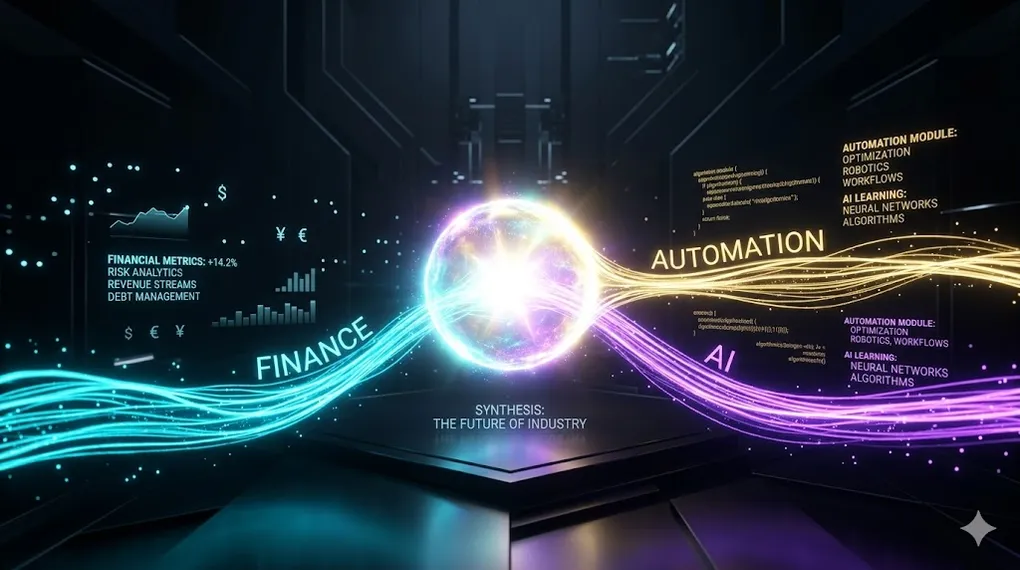
AI × Domain Expertise: Where Finance Meets Automation Meets Intelligence
In AI 07, we secured the full AI engineering stack — from input guardrails to red teaming. We now have every layer: prompting (AI 01), tooling (AI 02), RAG (AI 03), MCP (AI 04), agents (AI 05), multi-agent collaboration (AI 06), and security (AI 07). The only question remaining: where do you deploy all of this?
The answer is domain expertise. AI tools are commoditizing — anyone can call an API. The defensible advantage is knowing what problem to solve and where the ROI is. This article is the capstone: it brings the entire stack together in a domain where precision matters most — finance × automation × AI.
TL;DR
AI tools are commodities. Domain expertise is the competitive moat.
Every technique from AI 01–07 converges here: RAG for financial knowledge bases, MCP for ERP/bank integrations, agents for autonomous workflows, multi-agent systems for complex financial processes, and security guardrails for compliance. The intersection of these three pillars — finance domain knowledge, process automation (RPA), and AI/LLM intelligence — creates a position that is extremely difficult to replicate.
Core Architecture: The Three-Pillar Convergence

     Finance Domain Knowledge
            ╱     ╲
          ╱    ★    ╲           ★ = The intersection
        ╱      YOU     ╲          All three pillars
  RPA ─────────────────── AI/LLM
  (Process                (Intelligence
   Automation)             Engine)

  Most professionals have ONE pillar. Strong in two is rare.
  All three? That's your competitive moat.

  ┌─────────────────────────────────────────────────────────┐
  │              User Interface / Dashboard                  │
  ├─────────────────────────────────────────────────────────┤
  │           AI Agent Layer (AI 05/06)                      │
  │    ┌──────────┐  ┌───────────┐  ┌───────────┐          │
  │    │ Analyst   │  │ Processor │  │ Compliance│          │
  │    │ Agent     │  │ Agent     │  │ Agent     │          │
  │    └──────────┘  └───────────┘  └───────────┘          │
  ├─────────────────────────────────────────────────────────┤
  │           MCP Layer (AI 04)                              │
  │    LLM API  │  Vector DB (AI 03)  │  RPA Server         │
  ├─────────────────────────────────────────────────────────┤
  │    ERP  │  Bank APIs  │  Filing DB  │  IFRS Knowledge    │
  └─────────────────────────────────────────────────────────┘

  Security Layer (AI 07) wraps everything — each connection
  goes through the Defense-in-Depth pipeline.
Article Map
I — The Convergence (why domain matters)
- The Three Pillars — Finance × RPA × AI
- Why Domain Expertise Beats Technical Depth — The moat argument
- Financial AI Use Cases — Where the ROI lives
II — The Integration (connecting the stack) 4. RAG for Financial Knowledge Bases — IFRS, compliance, regulations 5. MCP for Financial System Integration — ERP, banking APIs, databases 6. Agent Architecture for Financial Workflows — From reconciliation to reporting
III — The Case Study (proving it works) 7. End-to-End: Automated Monthly Financial Close — The flagship workflow 8. ROI Analysis — Concrete metrics 9. Worst-Case Scenarios & Failure Modes — What goes wrong
IV — The Transition (making it real) 10. Legacy RPA ↔ Agentic RPA: Coexistence Architecture — Hybrid transition 11. Key Takeaways & Series Summary — Full stack map
1. The Three Pillars: Finance × RPA × AI
1.1 Why Three Pillars, Not One
The Single-Pillar Problem:

  FINANCE ONLY:
  Deep accounting/IFRS knowledge, excellent judgment.
  But: manual processes, drowning in repetitive work.
  → "I can analyze this perfectly — it just takes me 3 days."

  RPA ONLY:
  Fast automation, clicks through UIs at machine speed.
  But: no intelligence, breaks when anything changes.
  → "I can click 10,000 buttons — but I can't decide which ones."

  AI/LLM ONLY:
  Powerful language understanding, can reason about complex text.
  But: no domain context, hallucinates financial figures.
  → "I can summarize the IFRS standard — but I don't know
     which paragraph applies to YOUR specific lease arrangement."

The Convergence:
  Finance + RPA + AI = You know WHAT to automate (domain),
  HOW to automate it (RPA), and HOW TO MAKE IT INTELLIGENT (AI).

  This combination is rare. That's the moat.
1.2 The Technology Stack Mapping
Every article in this series maps to a layer in the production financial AI system:
| Series Article | Stack Layer | Finance Application |
|---|---|---|
| AI 01 Prompting | System Prompt Design | Financial analyst persona, IFRS-aware instructions |
| AI 02 Dev Toolchain | Development Environment | AI-assisted financial code development |
| AI 03 RAG | Knowledge Layer | IFRS standards, tax regulations, internal policies |
| AI 04 MCP | Integration Layer | ERP connectors, bank APIs, filing systems |
| AI 05 Agents | Intelligence Layer | Autonomous reconciliation, anomaly detection |
| AI 06 Multi-Agent | Collaboration Layer | Analyst + Processor + Compliance agents |
| AI 07 Security | Governance Layer | PII protection, audit trails, compliance guardrails |
| AI 08 Domain | Application Layer | This article — where everything converges |
🔧 Engineer’s Note: The table above is your competitive positioning deck. Most AI engineers can talk about RAG or agents. Very few can explain how each layer connects to a specific financial workflow. When a CTO asks “how does AI help my finance team?”, you don’t say “we use RAG” — you say “we built a knowledge layer that indexes your IFRS standards, connected it to your ERP via MCP, and wrapped it in an agent that does reconciliation autonomously while your compliance team reviews flagged items.” That’s the difference between an AI engineer and a finance AI engineer.
2. Why Domain Expertise Beats Technical Depth
2.1 The Commoditization Curve
AI Technical Skills — Commoditization Over Time:

  2023: "Can you call the OpenAI API?"           → Valuable (rare skill)
  2024: "Can you build a RAG pipeline?"           → Valuable (growing skill)
  2025: "Can you build an agent with tools?"      → Valuable (common skill)
  2026: "Can you do all of the above?"            → Expected (table stakes)

  What DOESN'T commoditize:
  - "Do you know which transactions trigger IFRS 16 lease classification?"
  - "Can you identify a currency mismatch in a multi-entity consolidation?"
  - "Do you know the difference between a cash-settled and equity-settled SBC?"

  Technical depth → commoditizes → everyone can do it
  Domain depth   → compounds    → harder over time to replicate
2.2 The T-Shaped Professional
The T-Shaped Professional in Finance AI:

  ┌──────── BROAD: AI Engineering Stack ────────┐
  │                                              │
  │  Prompting  RAG  MCP  Agents  Security       │
  │                                              │
  └──────────────────┬───────────────────────────┘
                     │
                     │  DEEP: Finance Domain
                     │
                     ├── IFRS / GAAP standards
                     ├── Financial close process
                     ├── Revenue recognition rules
                     ├── Multi-entity consolidation
                     ├── Bank reconciliation logic
                     ├── Tax compliance workflows
                     └── Audit trail requirements

  The horizontal bar (AI skills) gets you in the door.
  The vertical bar (domain depth) makes you irreplaceable.
2.3 Positioning Against Pure AI Engineers
| Scenario | Pure AI Engineer | Finance AI Engineer |
|---|---|---|
| Client says: “Automate our month-end close" | "What’s a month-end close?" | "Which ERP? How many entities? Do you consolidate in USD or EUR?” |
| LLM output: “$42M revenue in Q3" | "Looks correct" | "Wait — that’s pre-ASC 606. Post-adjustment is $38.7M” |
| RAG retrieves IFRS 15 paragraph | ”Here’s the paragraph" | "This paragraph applies only to performance obligations satisfied over time — your contract is point-in-time” |
| Agent suggests journal entry | ”Entry created" | "This needs a deferred revenue component — booking full revenue now violates matching principle” |
3. Financial AI Use Cases
3.1 The Automation Matrix
Not everything should be AI-powered. The matrix below helps decide where AI adds value versus where traditional automation (RPA, scripts) is sufficient.
The Automation Decision Matrix:

                    LOW complexity          HIGH complexity
                    (rules-based)           (judgment needed)
               ┌─────────────────────┬─────────────────────┐
  HIGH volume  │                     │                      │
  (many txns)  │   TRADITIONAL RPA   │    AI AGENT + RPA    │
               │   - Data entry      │    - Reconciliation  │
               │   - Report download │    - Anomaly triage  │
               │   - Format convert  │    - Classification  │
               ├─────────────────────┼─────────────────────┤
  LOW volume   │                     │                      │
  (few txns)   │   SIMPLE SCRIPT     │    HUMAN + AI ASSIST │
               │   - One-off export  │    - Tax structuring  │
               │   - Config update   │    - M&A due diligence│
               │   - File rename     │    - Board reporting  │
               └─────────────────────┴─────────────────────┘

  Top-right quadrant = highest ROI for AI.
  High volume means high cost savings.
  High complexity means AI judgment adds real value.
3.2 Use Case Catalog
| Use Case | Volume | Complexity | AI Stack Used | Annual Impact |
|---|---|---|---|---|
| Bank Reconciliation | ~5,000 txns/month | High (matching logic) | Agent + RAG + MCP | 90% time reduction |
| Invoice Processing | ~2,000 invoices/month | Medium (IDP + validation) | RAG + Agent | 85% time reduction |
| Expense Classification | ~10,000 entries/month | Low-Medium | Agent (few-shot) | 95% time reduction |
| IFRS Compliance Check | ~500 entries/month | High (regulatory) | RAG + Multi-Agent | 70% time reduction |
| Financial Reporting | Monthly | High (narrative + data) | Multi-Agent | 60% time reduction |
| Audit Preparation | Quarterly | Very High | RAG + Agent + HITL | 50% time reduction |
| Tax Filing Prep | Annual | Very High | Human + AI Assist | 30% support |
🔧 Engineer’s Note: Start with bank reconciliation. It has the highest volume, clearest rules, and most measurable ROI. A successful reconciliation POC is your “foot in the door” for every other use case. If you can prove $150K annual savings on reconciliation, the budget for IFRS compliance automation writes itself.
4. RAG for Financial Knowledge Bases
Financial AI systems need domain knowledge that goes far beyond what’s in the LLM’s training data. RAG (AI 03) is the mechanism, but the what you index is the domain expertise.
4.1 What to Index
Financial Knowledge Base — Content Categories:

  TIER 1: Regulatory Standards (must-index)
  ├── IFRS / GAAP standards (full text)
  ├── ASC 606 (Revenue Recognition)
  ├── IFRS 16 (Leases)
  ├── ASC 842 (Lease Accounting)
  ├── Local tax regulations
  └── Industry-specific guidance (banking, insurance, etc.)

  TIER 2: Company-Specific Policies (must-index)
  ├── Chart of Accounts (COA) with descriptions
  ├── Internal accounting policies manual
  ├── Approval authority matrix (who signs what, up to what amount)
  ├── Intercompany transaction rules
  └── Revenue recognition policies per product line

  TIER 3: Historical Reference (nice-to-index)
  ├── Prior year audit reports (findings + resolutions)
  ├── Historical journal entries for pattern matching
  ├── Past month-end close checklists (completed)
  └── Precedent memos for complex transactions
4.2 Chunking Strategy for Financial Documents
Financial documents have unique challenges: dense tables, cross-referenced paragraphs, and meaning that depends on section context.
# Financial document-aware chunking
from dataclasses import dataclass
from typing import Optional

@dataclass
class FinancialChunk:
    content:       str
    standard:      str           # e.g., "IFRS 16"
    section:       str           # e.g., "§22 - Lease term"
    paragraph_ref: Optional[str] # e.g., "IFRS 16.22(b)"
    applies_to:    list[str]     # e.g., ["leases", "right-of-use assets"]
    effective_date: Optional[str]
    superseded_by:  Optional[str] # if this guidance has been updated

def chunk_ifrs_standard(document: str, standard_name: str) -> list[FinancialChunk]:
    """
    Chunk IFRS standards by paragraph, NOT by fixed token count.
    Each paragraph in IFRS is a self-contained unit of guidance.
    Standard chunking (500 tokens) splits paragraphs mid-sentence
    and loses the section context.
    """
    chunks = []
    current_section = ""

    for paragraph in split_by_paragraph_markers(document):
        # Detect section headers (e.g., "Scope", "Recognition", "Measurement")
        if is_section_header(paragraph):
            current_section = paragraph.strip()
            continue

        # Extract paragraph reference (e.g., "22.", "B34.")
        ref = extract_paragraph_ref(paragraph)

        chunk = FinancialChunk(
            content        = paragraph,
            standard       = standard_name,
            section        = current_section,
            paragraph_ref  = f"{standard_name}.{ref}" if ref else None,
            applies_to     = extract_topic_tags(paragraph),
            effective_date = extract_effective_date(paragraph),
            superseded_by  = None,
        )
        chunks.append(chunk)

    return chunks

# Why this matters:
# Standard chunking: "...the lease term is the non-cancellable period |SPLIT|
#                     together with periods covered by..."
# → LLM gets half a rule. Missing the "together with" clause changes the meaning.
#
# Paragraph chunking: full paragraph preserved with section context.
# → LLM gets: "IFRS 16.22 (Lease term): the lease term is the non-cancellable
#              period together with periods covered by an option to extend
#              if the lessee is reasonably certain to exercise that option."
4.3 Retrieval with Regulatory Awareness
# Financial RAG with effective-date awareness
def retrieve_financial_guidance(
    query: str,
    reporting_date: str,      # e.g., "2025-12-31"
    entity_jurisdiction: str,  # e.g., "TW" (Taiwan), "US"
    vector_db,
) -> list[FinancialChunk]:
    """
    Financial RAG retrieval must consider:
    1. Effective date: Don't retrieve superseded guidance
    2. Jurisdiction: IFRS vs. US GAAP vs. local standards
    3. Relevance: Standard semantic similarity
    """
    # Step 1: Similarity search with metadata filter
    results = vector_db.query(
        vector = embed(query),
        top_k  = 10,
        filter = {
            "$and": [
                {"effective_date": {"$lte": reporting_date}},
                {"superseded_by": {"$eq": None}},  # Still active
                {"jurisdiction":  {"$in": [entity_jurisdiction, "INTL"]}},
            ]
        },
    )

    # Step 2: Re-rank by specificity (IFRS 16.22(b) > IFRS 16 general)
    ranked = sorted(results, key=lambda r: specificity_score(r, query), reverse=True)

    return ranked[:5]

# Connection to AI 03: This is the same RAG pipeline from AI 03,
# but with domain-specific metadata filters. The retrieval logic
# is generic; the metadata schema is domain expertise.
🔧 Engineer’s Note: The value of financial RAG isn’t just “finding the right paragraph.” It’s indexing with the right metadata. An LLM can’t determine whether IFRS 16.22 or IFRS 16.B34 applies to your lease arrangement — that’s a judgment call that depends on effective dates, jurisdiction, and contract specifics. By encoding this context in the chunk metadata, the retrieval system makes the LLM’s job far easier: instead of choosing from 200 paragraphs, it receives the 3–5 most relevant ones with full section context intact.
Connection to AI 07: Apply the multi-tenancy isolation from AI 07 §4.3 to your financial RAG. Different entities within a consolidation group may operate under different accounting standards (parent = IFRS, US subsidiary = US GAAP). Ensure the retrieval filter restricts results to the correct jurisdiction.
5. MCP for Financial System Integration
MCP (AI 04) is the universal connector — the “USB-C” for AI systems. In finance, the systems you need to connect are specific and varied: ERPs, banking platforms, tax filing systems, and compliance databases.
5.1 Financial MCP Server Architecture
Financial MCP Server Landscape:

  ┌─────────────────────────────────────────────────────────────┐
  │                    AI Agent (Client)                          │
  │  Uses MCP protocol to discover + invoke financial tools      │
  └──────────────┬─────────────────────────────────┬────────────┘
                 │                                   │
    ┌────────────┴────────────┐        ┌────────────┴────────────┐
    │  MCP Server: ERP         │        │  MCP Server: Banking     │
    │  ┌───────────────────┐  │        │  ┌───────────────────┐  │
    │  │ Resources:         │  │        │  │ Resources:         │  │
    │  │  erp://coa         │  │        │  │  bank://balances  │  │
    │  │  erp://trial-bal   │  │        │  │  bank://statements │  │
    │  │  erp://gl-entries  │  │        │  │  bank://fx-rates   │  │
    │  ├───────────────────┤  │        │  ├───────────────────┤  │
    │  │ Tools:             │  │        │  │ Tools:             │  │
    │  │  post_journal()    │  │        │  │  download_stmt()   │  │
    │  │  query_ledger()    │  │        │  │  initiate_payment()│  │
    │  │  reverse_entry()   │  │        │  │  query_txn()       │  │
    │  └───────────────────┘  │        │  └───────────────────┘  │
    └─────────────────────────┘        └─────────────────────────┘

    ┌─────────────────────────┐        ┌─────────────────────────┐
    │  MCP Server: Tax         │        │  MCP Server: Compliance  │
    │  ┌───────────────────┐  │        │  ┌───────────────────┐  │
    │  │ Resources:         │  │        │  │ Resources:         │  │
    │  │  tax://rates       │  │        │  │  ifrs://standards  │  │
    │  │  tax://filing-cal  │  │        │  │  audit://checklist  │  │
    │  ├───────────────────┤  │        │  ├───────────────────┤  │
    │  │ Tools:             │  │        │  │ Tools:             │  │
    │  │  calc_withholding()│  │        │  │  check_compliance()│  │
    │  │  generate_filing() │  │        │  │  flag_risk()       │  │
    │  └───────────────────┘  │        │  └───────────────────┘  │
    └─────────────────────────┘        └─────────────────────────┘
5.2 ERP MCP Server Implementation
# MCP Server for ERP integration (SAP, Oracle, NetSuite)
from mcp.server import Server, Resource, Tool
from typing import Optional
import httpx

app = Server("financial-erp-server")

# ── Resources (read-only, cacheable) ──────────────────────────

@app.resource("erp://chart-of-accounts")
async def get_chart_of_accounts() -> str:
    """Returns the full Chart of Accounts with descriptions."""
    accounts = await erp_client.query(
        "SELECT account_code, account_name, account_type, "
        "parent_code, is_active FROM chart_of_accounts "
        "WHERE is_active = 1 ORDER BY account_code"
    )
    return format_as_table(accounts)

@app.resource("erp://trial-balance/{period}")
async def get_trial_balance(period: str) -> str:
    """Returns trial balance for a specific period (e.g., '2025-12')."""
    tb = await erp_client.query(
        f"SELECT account_code, account_name, debit_balance, credit_balance "
        f"FROM trial_balance WHERE period = '{period}'"
    )
    total_debit  = sum(row["debit_balance"] for row in tb)
    total_credit = sum(row["credit_balance"] for row in tb)

    result = format_as_table(tb)
    result += f"\n\nTotal Debits: ${total_debit:,.2f}"
    result += f"\nTotal Credits: ${total_credit:,.2f}"
    result += f"\nDifference: ${abs(total_debit - total_credit):,.2f}"

    if abs(total_debit - total_credit) > 0.01:
        result += "\n⚠️ WARNING: Trial balance does not balance!"

    return result

# ── Tools (actions with side effects) ─────────────────────────

@app.tool("post_journal_entry")
async def post_journal_entry(
    date:        str,
    description: str,
    lines:       list[dict],   # [{"account": "1100", "debit": 1000, "credit": 0}, ...]
    approved_by: Optional[str] = None,
) -> dict:
    """
    Post a journal entry to the ERP.
    Requires: date, description, and balanced debit/credit lines.
    HITL: entries > $50,000 require approved_by field (AI 07 §8.4).
    """
    # Validation: debits must equal credits
    total_debit  = sum(line.get("debit", 0) for line in lines)
    total_credit = sum(line.get("credit", 0) for line in lines)

    if abs(total_debit - total_credit) > 0.01:
        return {"error": f"Unbalanced entry: debit={total_debit}, credit={total_credit}"}

    # HITL check (AI 07 §8.4): large entries need human approval
    if total_debit > 50_000 and not approved_by:
        return {
            "status": "requires_approval",
            "message": f"Journal entry of ${total_debit:,.2f} requires human approval.",
            "entry_draft_id": await save_draft(date, description, lines),
        }

    # Post to ERP
    result = await erp_client.post_journal(date, description, lines, approved_by)
    return {"status": "posted", "entry_id": result["id"], "amount": total_debit}

@app.tool("query_general_ledger")
async def query_general_ledger(
    account_code: str,
    start_date:   str,
    end_date:     str,
    limit:        int = 100,   # Data truncation (AI 05 §5.3)
) -> dict:
    """Query GL entries for a specific account and date range."""
    entries = await erp_client.query(
        f"SELECT posting_date, description, debit, credit, reference "
        f"FROM general_ledger "
        f"WHERE account_code = '{account_code}' "
        f"AND posting_date BETWEEN '{start_date}' AND '{end_date}' "
        f"ORDER BY posting_date DESC "
        f"LIMIT {min(limit, 500)}"   # Hard cap at 500 rows
    )
    return {
        "account": account_code,
        "period": f"{start_date} to {end_date}",
        "entries": entries,
        "count": len(entries),
        "truncated": len(entries) >= limit,
    }
5.3 Banking MCP Server
# MCP Server for banking integration
@app.tool("download_bank_statement")
async def download_bank_statement(
    bank_id:    str,   # e.g., "ctbc_main", "hsbc_usd"
    start_date: str,
    end_date:   str,
) -> dict:
    """
    Download and parse bank statement for reconciliation.
    Supports: PDF statements (IDP parsing), CSV exports, API direct.
    """
    bank_config = BANK_CONFIGS[bank_id]

    if bank_config["method"] == "api":
        # Direct API integration (modern banks)
        txns = await bank_api.get_transactions(
            bank_config["api_key"], start_date, end_date
        )
    elif bank_config["method"] == "rpa":
        # Legacy: RPA bot logs into bank website and downloads statement
        # Connection to §10: Legacy RPA coexistence
        raw_file = await rpa_client.execute(
            bot_name = bank_config["rpa_bot"],
            params   = {"start": start_date, "end": end_date}
        )
        # IDP: Intelligent Document Processing (parse PDF/image)
        txns = await idp_parser.parse_bank_statement(raw_file)
    else:
        # CSV export (manual upload)
        return {"status": "manual_upload_required",
                "message": f"Please upload {bank_id} statement for {start_date} to {end_date}"}

    return {
        "bank_id":    bank_id,
        "period":     f"{start_date} to {end_date}",
        "txn_count":  len(txns),
        "transactions": txns[:200],  # Truncation limit
        "total_debit":  sum(t["amount"] for t in txns if t["amount"] < 0),
        "total_credit": sum(t["amount"] for t in txns if t["amount"] > 0),
    }

@app.tool("match_transactions")
async def match_transactions(
    bank_txns:   list[dict],
    erp_entries: list[dict],
    tolerance:   float = 0.01,  # Matching tolerance in currency units
) -> dict:
    """
    Automatic transaction matching between bank and ERP records.
    Returns: matched pairs, unmatched bank items, unmatched ERP items.
    """
    matched = []
    unmatched_bank = list(bank_txns)
    unmatched_erp  = list(erp_entries)

    for bank_txn in bank_txns:
        for erp_entry in unmatched_erp:
            if (abs(bank_txn["amount"] - erp_entry["amount"]) <= tolerance
                and dates_close(bank_txn["date"], erp_entry["date"], days=3)):
                matched.append({
                    "bank": bank_txn,
                    "erp":  erp_entry,
                    "match_type": "exact" if bank_txn["amount"] == erp_entry["amount"]
                                  else "approximate",
                })
                unmatched_bank.remove(bank_txn)
                unmatched_erp.remove(erp_entry)
                break

    return {
        "matched_count":       len(matched),
        "unmatched_bank_count": len(unmatched_bank),
        "unmatched_erp_count":  len(unmatched_erp),
        "matched_pairs":       matched,
        "needs_investigation":  unmatched_bank + unmatched_erp,
    }
🔧 Engineer’s Note: The MCP server is where domain expertise becomes code. The
match_transactionstool above encodes financial knowledge: 3-day date tolerance (because bank processing dates differ from ERP posting dates), amount tolerance for rounding differences, and the distinction between “exact” and “approximate” matches. A generic engineer would write an exact match. A finance-aware engineer knows that matching logic must handle timing differences, currency rounding, and split transactions. That knowledge difference makes your MCP server dramatically more useful in production.
Connection to AI 04: The Resource/Tool distinction from AI 04 §4.1 matters here. The Chart of Accounts and Trial Balance are Resources (read-only, cacheable, multiple reads). Journal entry posting is a Tool (action with side effects, needs HITL approval above thresholds).
6. Agent Architecture for Financial Workflows
Agents (AI 05) and multi-agent systems (AI 06) are the intelligence layer. In finance, each agent maps to a specific role in the workflow — just like team members in a real accounting department.
6.1 The Financial Agent Team
Financial Multi-Agent Architecture (AI 06 Supervisor Pattern):

  ┌────────────────────────────────────────────────────────────┐
  │                ORCHESTRATOR (Supervisor Agent)               │
  │  Receives task → assigns to specialist agents → collates    │
  │  Uses: AI 06 Supervisor collaboration pattern               │
  └─────────┬────────────┬──────────────┬─────────────┬────────┘
            │            │              │             │
  ┌─────────┴──┐ ┌───────┴─────┐ ┌─────┴──────┐ ┌───┴────────┐
  │ DATA AGENT  │ │ ANALYST     │ │ COMPLIANCE │ │ REPORT     │
  │             │ │ AGENT       │ │ AGENT      │ │ AGENT      │
  │ Downloads   │ │ Reconciles  │ │ Checks     │ │ Generates  │
  │ bank stmts, │ │ bank vs ERP,│ │ IFRS rules,│ │ narrative  │
  │ parses PDFs,│ │ flags       │ │ validates  │ │ summary,   │
  │ queries ERP │ │ anomalies   │ │ each entry │ │ dashboards │
  │             │ │             │ │            │ │            │
  │ Tools:      │ │ Tools:      │ │ Tools:     │ │ Tools:     │
  │ download()  │ │ match_txn() │ │ query_rag()│ │ generate() │
  │ query_gl()  │ │ query_gl()  │ │ flag_risk()│ │ format()   │
  └─────────────┘ └─────────────┘ └────────────┘ └────────────┘

  Each agent has Least-Privilege permissions (AI 07 §8.3):
  - Data Agent:       READ-only DB + RPA execution
  - Analyst Agent:    READ-only DB + match tool
  - Compliance Agent: READ-only DB + RAG access
  - Report Agent:     READ-only aggregated results + format tools
  → No agent can POST journal entries alone.
  → Entries require HITL via Orchestrator (AI 07 §8.4).
6.2 LangGraph Implementation: Reconciliation Workflow
# Multi-agent financial reconciliation using LangGraph (AI 05/06)
from langgraph.graph import StateGraph, END
from typing import TypedDict, Annotated
from operator import add

class ReconciliationState(TypedDict):
    bank_id:      str
    period:       str
    bank_txns:    list[dict]
    erp_entries:  list[dict]
    matched:      list[dict]
    unmatched:    list[dict]
    anomalies:    Annotated[list[dict], add]  # AI 05 §7.4: add_messages reducer
    compliance:   list[dict]
    report:       str
    status:       str

# ── Agent nodes ─────────────────────────────────────────────

async def data_agent(state: ReconciliationState) -> dict:
    """Download bank statement and query ERP GL entries."""
    bank_data = await download_bank_statement(
        state["bank_id"], state["period"] + "-01", state["period"] + "-31"
    )
    erp_data = await query_general_ledger(
        account_code = "1100",  # Cash account
        start_date   = state["period"] + "-01",
        end_date     = state["period"] + "-31",
    )
    return {
        "bank_txns":   bank_data["transactions"],
        "erp_entries": erp_data["entries"],
        "status":      "data_collected",
    }

async def analyst_agent(state: ReconciliationState) -> dict:
    """Match transactions and identify anomalies."""
    result = await match_transactions(state["bank_txns"], state["erp_entries"])

    # Use LLM to classify unmatched items
    anomalies = []
    for item in result["needs_investigation"]:
        classification = await llm.generate(
            f"""Classify this unmatched financial transaction:
            {item}

            Categories: TIMING_DIFFERENCE | ROUNDING | MISSING_ENTRY |
                       DUPLICATE | SUSPICIOUS | UNKNOWN

            Return JSON: {{"category": "...", "confidence": 0.0-1.0,
                          "explanation": "..."}}"""
        )
        anomalies.append({**item, "classification": json.loads(classification)})

    return {
        "matched":   result["matched_pairs"],
        "unmatched": result["needs_investigation"],
        "anomalies": anomalies,
        "status":    "analysis_complete",
    }

async def compliance_agent(state: ReconciliationState) -> dict:
    """Check each anomaly against IFRS/GAAP rules."""
    compliance_results = []

    for anomaly in state["anomalies"]:
        # RAG lookup: find relevant accounting guidance
        guidance = await retrieve_financial_guidance(
            query    = f"accounting treatment for {anomaly['classification']['category']}",
            reporting_date    = state["period"] + "-31",
            entity_jurisdiction = "INTL",
            vector_db = financial_vector_db,
        )

        compliance_results.append({
            "anomaly":    anomaly,
            "guidance":   [g.content for g in guidance[:2]],
            "risk_level": assess_risk(anomaly),
        })

    return {"compliance": compliance_results, "status": "compliance_checked"}

async def report_agent(state: ReconciliationState) -> dict:
    """Generate the reconciliation report."""
    report = await llm.generate(
        f"""Generate a bank reconciliation report:

        Period: {state['period']}
        Matched transactions: {len(state['matched'])}
        Unmatched items: {len(state['unmatched'])}
        Anomalies flagged: {len(state['anomalies'])}

        Anomaly details:
        {json.dumps(state['compliance'][:10], indent=2)}

        Format: Professional reconciliation summary with:
        1. Executive summary (2 sentences)
        2. Matched transaction statistics
        3. Anomaly details with recommended actions
        4. Items requiring human review (flagged as HIGH risk)"""
    )
    return {"report": report, "status": "report_generated"}

# ── Build the graph ─────────────────────────────────────────

graph = StateGraph(ReconciliationState)

graph.add_node("data_agent",       data_agent)
graph.add_node("analyst_agent",    analyst_agent)
graph.add_node("compliance_agent", compliance_agent)
graph.add_node("report_agent",     report_agent)

graph.set_entry_point("data_agent")
graph.add_edge("data_agent",       "analyst_agent")
graph.add_edge("analyst_agent",    "compliance_agent")
graph.add_edge("compliance_agent", "report_agent")
graph.add_edge("report_agent",     END)

reconciliation_pipeline = graph.compile()

# Run:
result = await reconciliation_pipeline.ainvoke({
    "bank_id": "ctbc_main",
    "period":  "2025-12",
})
print(result["report"])
🔧 Engineer’s Note: Each agent node does one thing well — just like a real accounting team. The Data Agent only fetches. The Analyst only matches. The Compliance Agent only checks rules. The Report Agent only writes. This separation makes each agent testable in isolation, and its permissions can be scoped precisely (AI 07 §8.3). If the Analyst Agent is compromised by indirect injection (AI 07 §2.2), it can’t post journal entries or send emails — because those tools aren’t in its toolset.
6.3 Audit Trail & Explainability (Making the Big 4 Happy)
In finance, “can the external auditor understand what happened?” is a hard requirement for any system going live. When an Analyst Agent classifies a transaction as “TIMING_DIFFERENCE,” the auditor needs to see why — not just the label.
# Immutable audit trail for every agent decision
from dataclasses import dataclass, field
from datetime import datetime
import hashlib, json

@dataclass
class AuditLogEntry:
    """Every agent decision creates an immutable audit record."""
    timestamp:        str                 # ISO 8601
    agent_name:       str                 # e.g., "analyst_agent"
    transaction_id:   str                 # Bank/ERP reference number
    decision:         str                 # e.g., "TIMING_DIFFERENCE"
    confidence:       float               # 0.0 - 1.0
    reasoning:        str                 # LLM's full reasoning text
    prompt_used:      str                 # Exact prompt sent to LLM
    rag_citations:    list[str]           # e.g., ["IFRS 16.22(b)", "Policy 4.3"]
    input_data:       dict                # Bank txn + ERP entry snapshot
    model_version:    str                 # e.g., "claude-3.5-sonnet-20250101"
    human_override:   str = ""            # Filled if human changed the decision
    checksum:         str = field(init=False)

    def __post_init__(self):
        # SHA-256 checksum = proof of integrity (tamper-evident)
        content = json.dumps({
            "timestamp": self.timestamp, "agent": self.agent_name,
            "txn": self.transaction_id, "decision": self.decision,
            "reasoning": self.reasoning,
        }, sort_keys=True)
        self.checksum = hashlib.sha256(content.encode()).hexdigest()

def create_audit_log(
    agent_name: str, txn_id: str, decision: str,
    confidence: float, reasoning: str, prompt: str,
    rag_refs: list[str], input_data: dict, model: str,
) -> AuditLogEntry:
    entry = AuditLogEntry(
        timestamp      = datetime.utcnow().isoformat() + "Z",
        agent_name     = agent_name,
        transaction_id = txn_id,
        decision       = decision,
        confidence     = confidence,
        reasoning      = reasoning,
        prompt_used    = prompt,
        rag_citations  = rag_refs,
        input_data     = input_data,
        model_version  = model,
    )
    # Write to append-only log (immutable storage: S3 + Object Lock, or DB)
    audit_store.append(entry)  # NEVER update or delete
    return entry
What the external auditor sees for a TIMING_DIFFERENCE classification:
┌──────────────────────────────────────────────────────────────────┐
│ Audit Log: TXN-2025-12-0847 │
│ Agent: analyst_agent Time: 2025-12-31T07:42:18Z │
│ Decision: TIMING_DIFFERENCE Confidence: 0.94 │
│ Model: claude-3.5-sonnet Checksum: a3f7c2... │
│ │
│ Reasoning: "Bank debit of $45,230 on Dec 30 matches ERP credit │
│ of $45,230 posted Jan 2. The 3-day gap is within the normal │
│ bank processing window for year-end transactions." │
│ │
│ RAG Citations: [IFRS 9.B3.1.2 - Recognition timing] │
│ Human Override: (none) │
└──────────────────────────────────────────────────────────────────┘
The auditor can verify:
1. WHAT the AI decided (decision + confidence)
2. WHY it decided that (reasoning + RAG citations)
3. HOW it decided (exact prompt + model version)
4. WHETHER a human changed it (human_override field)
5. INTEGRITY of the record (SHA-256 checksum)🔧 Engineer’s Note: The audit trail is not a nice-to-have — it’s a gatekeeper. Big 4 firms (Deloitte, PwC, EY, KPMG) will not sign off on a system they cannot audit. The key elements: (1) Immutability — append-only, never edited or deleted; (2) Traceability — every decision links to the exact prompt, RAG citations, and input data; (3) Integrity — SHA-256 checksums prove logs haven’t been tampered with; (4) Human override tracking — when a human changes an AI decision, both the original and override are recorded. Design this from Day 1 — retrofitting auditability is 10× harder than building it in.
7. End-to-End: Automated Monthly Financial Close
The monthly close is the flagship use case — it touches every layer of the stack and delivers the most measurable ROI.
7.1 Before: Traditional Monthly Close
Traditional Monthly Close Process:

  Day 1-2:  3 accountants manually download bank statements (20+ accounts)
            → Manually reconcile each transaction against ERP records
            → Manually flag discrepancies in spreadsheets

  Day 3:    Senior accountant reviews all flagged items
            → Investigates root causes (timing, rounding, missing entries)
            → Manually creates correcting journal entries

  Day 4:    Manager reviews and approves adjustments
            → Generates reconciliation report (Excel + Word)

  Day 5:    Report compiled → submitted to CFO
            → Follow-up meetings on outstanding items

  Cost:
    Personnel: 3 staff × 5 days = 15 person-days
    Common errors: ~2-3% manual data entry error rate
    Missed anomalies: avg. 3.2 items/month (found later in audit)
    Overtime: ~20 hours/month during close period
7.2 After: Agent-Powered Monthly Close
Automated Monthly Close with AI Agent Pipeline:

  Day 1 (Automated — no human intervention):
  ┌──────────────────────────────────────────────────────────┐
  │ 06:00  DATA AGENT                                         │
  │        RPA bots log into 20+ bank portals                 │
  │        Download statements → IDP parses PDFs/CSV          │
  │        Query ERP for GL entries                           │
  │                                                           │
  │ 07:00  ANALYST AGENT                                      │
  │        Matches bank txns ↔ ERP entries (auto: ~95%)       │
  │        LLM classifies unmatched items:                    │
  │          TIMING_DIFFERENCE: 8 items (auto-resolved)       │
  │          ROUNDING: 3 items (auto-resolved, $0.01 each)    │
  │          MISSING_ENTRY: 4 items → flagged for human       │
  │          SUSPICIOUS: 1 item → flagged HIGH priority       │
  │                                                           │
  │ 08:00  COMPLIANCE AGENT                                   │
  │        RAG retrieves IFRS guidance for each anomaly       │
  │        Checks journal entry compliance                    │
  │        Tags risk level: LOW / MEDIUM / HIGH               │
  │                                                           │
  │ 09:00  REPORT AGENT                                       │
  │        Generates reconciliation report                    │
  │        Pushes to dashboard + notifies accountant          │
  └──────────────────────────────────────────────────────────┘

  Day 1 (Human review — judgment calls only):
  ┌──────────────────────────────────────────────────────────┐
  │ 10:00  Accountant reviews 5 "MISSING_ENTRY" items         │
  │        (AI has already classified & provided context)     │
  │                                                           │
  │ 12:00  Accountant reviews 1 "SUSPICIOUS" item             │
  │        (AI has flagged risk level + relevant IFRS)        │
  │                                                           │
  │ 14:00  Manager approves via dashboard                     │
  │        (AI pre-tagged risk levels for quick review)       │
  │                                                           │
  │ 16:00  Report auto-generated → CFO dashboard              │
  └──────────────────────────────────────────────────────────┘

  Cost:
    Personnel: 1 staff × 1 day = 1 person-day
    Data entry errors: ~0% (machines don't mistype)
    Missed anomalies: ~0.1 items/month (AI catches edge cases)
    Overtime: ~2 hours/month (for complex reviews only)
7.3 The Review Dashboard: What the Human Actually Sees
The accountant doesn’t read JSON logs or raw API responses. The system presents a purpose-built review interface designed to minimize cognitive load and maximize decision speed.
HITL Review Dashboard (Accountant View):

┌──────────────────────────────────────────────────────────────────────┐
│  📅 December 2025 Reconciliation — CTBC Main Account               │
│  Status: 5 items need your review   [AI auto-resolved: 4,987]    │
├────────────────────────────────┬─────────────────────────────────────┤
│  LEFT: Source Data                  │  RIGHT: AI Analysis                   │
├────────────────────────────────┼─────────────────────────────────────┤
│  🏦 Bank Record:                    │  🤖 AI Classification:                 │
│  Date: 2025-12-28                  │  Label: MISSING_ENTRY                 │
│  Amount: -$12,500.00               │  Confidence: 0.87                     │
│  Desc: "WIRE TRF TO SUPPLIER X"    │  Risk: ⚠️ MEDIUM                       │
│                                    │                                       │
│  📊 ERP Record:                     │  💡 AI Reasoning:                      │
│  (No matching entry found)         │  "Bank shows wire of $12,500 to       │
│                                    │   Supplier X on Dec 28. No matching   │
│                                    │   AP entry in ERP. Likely a direct    │
│                                    │   payment not yet recorded."          │
│                                    │                                       │
│                                    │  📚 RAG Reference:                     │
│                                    │  • Company Policy §3.2: All payments  │
│                                    │    must have matching AP entry         │
│                                    │                                       │
│                                    │  📝 Recommended Action:                │
│                                    │  Create JE: Dr. AP $12,500            │
│                                    │              Cr. Cash $12,500         │
├────────────────────────────────┴─────────────────────────────────────┤
│                                                                          │
│    [✅ Approve & Post JE]    [🔄 Reject & Re-analyze]    [✍️ Edit JE]    │
│                                                                          │
└──────────────────────────────────────────────────────────────────────┘

Key UX Principles:
  1. Side-by-side:  Human sees bank data AND ERP data together.
  2. AI reasoning:  Not just the label, but WHY — in plain language.
  3. RAG citations: Which policy or standard supports the classification.
  4. Pre-filled JE: AI drafts the journal entry. Human reviews, not creates.
  5. One-click:     Approve, reject, or edit. No typing needed for 80% of cases.

  → CFO sees: "My team reviews 5 items instead of 5,000.
     Each item comes with context, reasoning, and a pre-drafted fix.
     They click Approve or Reject. That's it."
🔧 Engineer’s Note: The HITL dashboard is the most important UX in the entire system. It’s what the accountant uses every day. If it’s clunky, they’ll hate the system. If it’s intuitive, they’ll champion it. Design principles: (1) Never show raw JSON or API responses; (2) Always show the source data alongside the AI analysis; (3) Pre-fill recommended actions so the human confirms rather than creates; (4) Every action logs an audit trail entry (§6.3). A well-designed review UI reduces review time from 2 hours to 20 minutes and turns the accountant from a skeptic into an advocate.
8. ROI Analysis: The Numbers
8.1 Direct Cost Comparison
| Metric | Before (Manual) | After (AI-Powered) | Improvement |
|---|---|---|---|
| Personnel | 3 × 5 days = 15 person-days | 1 × 1 day = 1 person-day | 93% ↓ |
| Elapsed time | 5 business days | 1 day (incl. human review) | 80% ↓ |
| Data entry errors | 2–3% | ~0% (machine processing) | ~100% ↓ |
| Missed anomalies | 3.2 items/month avg. | 0.1 items/month avg. | 97% ↓ |
| Monthly overtime | ~20 hours | ~2 hours | 90% ↓ |
8.2 Financial ROI Calculation
ROI Calculation (Conservative Estimates):

  COSTS (one-time):
    Development:        ~$25,000  (3 months, 1 developer)
    MCP server build:   ~$5,000   (4 MCP servers: ERP, bank, tax, compliance)
    RAG indexing:       ~$2,000   (IFRS + company policy indexing)
    Testing & QA:       ~$3,000   (red team + UAT + parallel run)
    Infrastructure:     ~$5,000   (vector DB, hosting, monitoring)
    Total:              ~$40,000

  COSTS (ongoing/month):
    LLM API calls:      ~$150/month  (5,000 txns × $0.03 avg/txn)
    Vector DB hosting:  ~$50/month
    Monitoring:         ~$30/month
    Total:              ~$230/month

  SAVINGS (monthly):
    Labor reduction:    14 person-days × $300/day = $4,200/month
    Error correction:   ~$800/month (reduced audit rework)
    Overtime:           18 hours × $45/hour     = $810/month
    Faster close:       Intangible (earlier reporting, better decisions)
    Total:              ~$5,810/month

  Net monthly benefit:  $5,810 - $230 = $5,580
  Payback period:       $40,000 ÷ $5,580 = ~7.2 months
  Annual savings:       $5,580 × 12 = ~$66,960
  3-year ROI:           ($66,960 × 3 - $40,000) ÷ $40,000 = 402%
🔧 Engineer’s Note: These numbers are deliberately conservative. Real implementations often achieve higher savings because: (1) the “faster close” benefit has a real dollar value — CFOs who get reports 4 days earlier make better decisions, (2) the error reduction compounds — one missed anomaly can cost more than the entire system, and (3) the team freed from reconciliation can do higher-value analysis work. When pitching to a CFO, lead with the payback period: “We break even in 7 months. After that, it’s $67K per year in pure savings.”
8.3 Batch Processing Architecture
A practical concern CTOs will immediately raise: “You’re calling an LLM 5,000 times per month? What about API rate limits and processing time?”
The answer: asynchronous batch processing with intelligent pre-filtering.
import asyncio
from asyncio import Semaphore

class BatchReconciliationProcessor:
    """
    Processes monthly transactions in async batches.
    5,000 txns don't hit the LLM simultaneously — they queue.
    """
    def __init__(self, max_concurrent: int = 10, retry_limit: int = 3):
        self.semaphore = Semaphore(max_concurrent)  # API rate limit
        self.retry_limit = retry_limit

    async def process_batch(self, transactions: list[dict]) -> list[dict]:
        # Step 1: Rule-based pre-filter (no LLM needed)
        #   ~90% of transactions auto-match: amount ± $0.01, date ± 3 days
        auto_matched, needs_llm = [], []
        for txn in transactions:
            match = find_exact_match(txn, tolerance=0.01, date_window=3)
            if match:
                auto_matched.append({"txn": txn, "match": match, "method": "rule"})
            else:
                needs_llm.append(txn)

        # Step 2: LLM analysis only for unmatched (~5-10% of total)
        #   5,000 txns → ~500 need LLM → 50 concurrent → ~2 minutes total
        llm_results = await asyncio.gather(
            *[self._analyze_with_retry(txn) for txn in needs_llm]
        )

        return auto_matched + llm_results

    async def _analyze_with_retry(self, txn: dict) -> dict:
        """Rate-limited LLM call with exponential backoff retry."""
        for attempt in range(self.retry_limit):
            try:
                async with self.semaphore:  # Max N concurrent calls
                    result = await llm_classify_transaction(txn)
                    return result
            except RateLimitError:
                await asyncio.sleep(2 ** attempt)  # 1s, 2s, 4s backoff
        return {"txn": txn, "status": "failed", "needs_manual": True}

# Processing time estimate:
#   5,000 txns total
#   4,500 auto-matched by rules (instant)        → 0 LLM calls
#   500 need LLM, 10 concurrent, ~2s each        → ~100 seconds
#   Total processing: ~2 minutes (not 2 hours)
🔧 Engineer’s Note: Pre-filtering is the key to making financial AI cost-effective. If you send all 5,000 transactions to the LLM, you pay for 5,000 API calls and wait for sequential processing. With rule-based pre-filtering, ~90% of transactions never touch the LLM at all — they auto-match on amount and date. The LLM only analyzes the ~500 ambiguous cases. Result: 90% cost reduction and 10× faster processing. The semaphore pattern handles API rate limits gracefully, and exponential backoff retries handle transient failures without manual intervention.
9. Worst-Case Scenarios & Failure Modes
Presenting only the ROI without acknowledging risks destroys credibility. A mature proposal anticipates failure.
9.1 Real-World Failure Modes
Failure Mode 1: Legacy RPA Selector Breakage
  What happens:
    ERP vendor pushes UI update → UI selectors break →
    RPA bot gets stuck → Data Agent receives empty data →
    Analyst Agent reports "no transactions" (false all-clear)

  Severity: HIGH — silent failure creates false confidence

  Mitigation:
    → Data Agent validates: if txn_count == 0 for a bank that
      normally has 200+ transactions → ALERT, do not proceed
    → Fallback: switch from RPA path to API path (§10 hybrid)
    → Monitoring: L5 tracks expected vs actual txn counts

Failure Mode 2: LLM Misclassification (False Negatives)
  What happens:
    Analyst Agent classifies a suspicious transaction as
    "TIMING_DIFFERENCE" (confidence: 0.72) → auto-resolved
    → Actually was an unauthorized payment → missed in review

  Severity: CRITICAL — the whole point is catching anomalies

  Mitigation:
    → Phase-in confidence thresholds:
      Month 1-2: Human reviews 100% of Agent classifications
      Month 3-4: Human reviews items where confidence < 0.9
      Month 5+:  Human reviews SUSPICIOUS + spot-checks 10%
    → Track: false negative rate per category per month
    → If FN rate > 2% in any category → reset to 100% review

Failure Mode 3: Token Cost Explosion
  What happens:
    5,000 transactions × full LLM analysis each = huge API bill
    Especially during year-end close (2× normal volume)

  Severity: MEDIUM — financial, not operational

  Mitigation:
    → Rule-based pre-filter: if amount matches within $0.01
      AND dates within 3 days → auto-match (no LLM needed)
    → LLM only for: unmatched items + anomalies (~5-10% of total)
    → Budget: set hard cap via DoW protection (AI 07 §6)
    → Estimated: $150/month normal, ~$400 year-end peak

Failure Mode 4: Organizational Resistance
  What happens:
    Accounting team feels threatened → passive resistance →
    "Forgot" to upload documents → minimal cooperation →
    System appears to fail → project cancelled

  Severity: HIGH — most underestimated risk

  Mitigation:
    → Frame as "no more overtime" not "replacing you"
    → Position: accountants move from data entry to judgment
    → Quick win: first month, system handles the most hated
      task (bank statement downloads) → team sees the benefit
    → Involve team in defining classification rules
9.2 Change Management: The AI-Augmented Accountant
Organizational resistance (Failure Mode 4) deserves its own strategy. The root cause is identity threat: “If the AI does my job, what am I?” The answer must be concrete and aspirational.
The Role Transformation:

  BEFORE (Manual Accountant):                AFTER (AI-Augmented Accountant):
  ├── 60% Data entry & downloads             ├── 5%  System monitoring
  ├── 25% Reconciliation (matching rows)      ├── 20% Reviewing AI flagged items
  ├── 10% Investigating anomalies             ├── 30% Complex judgment calls
  └──  5% Judgment & analysis                 ├── 25% Financial analysis & insights
                                              └── 20% Training & refining AI rules

  The accountant's time shifts FROM repetitive tasks
  TO high-value judgment. Their domain expertise becomes
  MORE valuable, not less — because they're now the ones
  who define and refine classification rules.
The “AI-Augmented Accountant” Certification Program:
Instead of simply imposing the new system, create a formal internal designation that gives the accounting team ownership and career progression:
| Element | Description |
|---|---|
| Title | “AI-Augmented Accountant” (internal certification) |
| Training | 2-week program: system operation, AI output review, rule refinement |
| Responsibilities | System admin, classification rule tuning, anomaly review authority |
| Career path | Data Entry Accountant → AI-Augmented Accountant → Financial AI Operations Lead |
| Messaging | “You’re not being replaced. You’re being promoted from data entry to quality control.” |
Change Management Timeline:

  Week 1-2:  Announce program. Emphasize: "no layoffs, new role."
             Select 1-2 enthusiastic team members as “AI Champions.”
  Week 3-4:  AI Champions train on the system. They become co-owners.
  Month 2:   Champions run the first close with AI assistance.
             Rest of team observes. Champions report: "I left at 5pm."
  Month 3:   Full team onboarding. Champions mentor peers.
  Month 4+:  Team defines new classification rules (THEY own the AI's brain).

  Key insight: the people who could resist the most become the experts.
  Give them STATUS, not just a tool.
🔧 Engineer’s Note: Change management is not a “soft” problem — it’s the #1 reason digital transformation projects fail. McKinsey data shows 70% of transformations fail, and the primary cause is employee resistance, not technology. The “AI-Augmented Accountant” framing works because it addresses the identity question: “You’re not losing your job. You’re gaining a superpower.” When your pitch deck includes a change management plan alongside the ROI analysis, the CFO thinks: “This person understands my real problem — it’s not the technology, it’s convincing my team.”
9.3 Deployment Timeline (Realistic)
| Phase | Timeline | Scope | Human Review |
|---|---|---|---|
| POC | Month 1–2 | 1 bank account, 1 entity | 100% human review |
| Pilot | Month 3–4 | 5 bank accounts, 1 entity | 50% human review |
| Expansion | Month 5–6 | All accounts, 1 entity | 10% spot-check |
| Full rollout | Month 7+ | All accounts, all entities | Anomaly-only review |
🔧 Engineer’s Note: Proactively presenting failure modes in a pitch is a power move, not a weakness. Any experienced CTO has seen projects that promised “100% accuracy” and delivered chaos. When you present 4 failure modes with specific mitigations, you demonstrate operational maturity. The CTO thinks: “This person has actually done this before.” That trust is worth more than any slide deck.
10. Legacy RPA ↔ Agentic RPA: Coexistence Architecture
10.1 The Reality: You Can’t Replace Everything at Once
Most enterprises already have traditional RPA scripts (UiPath, Automation Anywhere, Blue Prism). These scripts work — they’re just brittle and unintelligent. A full rewrite is expensive and risky. The practical approach: AI Agent as the brain, legacy RPA as the hands.
10.2 The Hybrid Architecture
Hybrid Architecture: AI Brain + RPA Hands

  ┌──────────────────────────────────────────────────────────┐
  │                AI AGENT (Decision Engine)                  │
  │  Decides WHAT to do based on context and judgment.        │
  │                                                           │
  │  ┌──────────────────────────────────────────────────┐     │
  │  │ Decision Logic:                                   │     │
  │  │                                                   │     │
  │  │  IF standard_flow           → Call Legacy RPA Bot │     │
  │  │  IF exception_or_anomaly    → AI handles directly │     │
  │  │  IF new_system_with_API     → Call API directly   │     │
  │  │  IF high_risk_action        → Route to human      │     │
  │  └──────────────────────────────────────────────────┘     │
  ├──────────────────────────────────────────────────────────┤
  │                MCP Layer (AI 04)                           │
  │                                                           │
  │  ┌──────────────┐  ┌──────────────┐  ┌──────────────┐   │
  │  │ Legacy RPA   │  │ Modern API   │  │ LLM API      │   │
  │  │ Bot (UiPath) │  │ (SAP API)    │  │ (Claude)     │   │
  │  │              │  │              │  │              │   │
  │  │ UI clicks,   │  │ Direct data  │  │ Classification│  │
  │  │ form fills,  │  │ access, no   │  │ reasoning,   │   │
  │  │ downloads    │  │ UI needed    │  │ generation   │   │
  │  └──────────────┘  └──────────────┘  └──────────────┘   │
  └──────────────────────────────────────────────────────────┘

  The AI Agent orchestrates ALL three paths through MCP.
  Legacy RPA bots become "tools" that the Agent calls.
  No rewrite needed — just wrap existing bots in MCP Tool interface.
flowchart TD
A["AI Agent receives task"] --> B{"Task type?"}
B -->|"Standard flow"| C["Call Legacy RPA Bot"]
B -->|"Exception / Anomaly"| D["AI handles directly"]
B -->|"New system with API"| E["Direct API call"]
B -->|"High-risk action"| F["Route to Human (HITL)"]
C --> G["UiPath Orchestrator"]
G --> H{"Bot succeeded?"}
H -->|"Yes"| I["Return result to Agent"]
H -->|"No"| J{"API fallback available?"}
J -->|"Yes"| E
J -->|"No"| F
D --> I
E --> I
F --> K["Human reviews & decides"]
K --> I
I --> L["Agent continues workflow"]
style A fill:#4a9eff,color:#fff
style F fill:#ff6b6b,color:#fff
style C fill:#ffd93d,color:#333
style E fill:#6bcb77,color:#fff10.3 Wrapping Legacy RPA as MCP Tools
# Wrap existing UiPath bot as an MCP tool
@app.tool("execute_legacy_rpa")
async def execute_legacy_rpa(
    bot_name:   str,
    parameters: dict,
    timeout_s:  int = 300,  # 5 minute timeout
) -> dict:
    """
    Execute a legacy RPA bot via UiPath Orchestrator API.
    The bot runs on a VM with UI access. Agent doesn't need UI.
    """
    # Call UiPath Orchestrator REST API
    response = await httpx.post(
        f"{UIPATH_BASE_URL}/odata/Jobs/UiPath.Server.Configuration.OData.StartJobs",
        headers = {"Authorization": f"Bearer {UIPATH_TOKEN}"},
        json = {
            "startInfo": {
                "ReleaseKey": BOT_REGISTRY[bot_name]["release_key"],
                "Strategy":   "Specific",
                "RobotIds":   [BOT_REGISTRY[bot_name]["robot_id"]],
                "InputArguments": json.dumps(parameters),
            }
        },
    )

    job_id = response.json()["value"][0]["Id"]

    # Poll for completion
    result = await poll_job_completion(job_id, timeout_s)

    if result["State"] == "Successful":
        return {
            "status":  "success",
            "output":  json.loads(result.get("OutputArguments", "{}")),
            "runtime": result["EndTime"] - result["StartTime"],
        }
    else:
        # Fallback: alert human, don't proceed silently
        return {
            "status":  "failed",
            "error":   result.get("Info", "Unknown error"),
            "message": f"RPA bot '{bot_name}' failed. Manual intervention needed.",
        }
10.4 The Transition Path
Phase 1: Agent as Orchestrator (Month 1-3)
  AI Agent makes decisions.
  Legacy RPA bots execute standard flows.
  Agent handles exceptions that RPA can't.
  → Zero RPA rewrite. Immediate value.

Phase 2: Gradual API Migration (Month 4-9)
  For each RPA bot, evaluate:
    - Does the underlying system have an API?
    - Is the API stable and documented?
  If YES → Replace RPA bot with direct API call.
  If NO  → Keep RPA bot (some legacy systems have no API).
  → Each migration reduces fragility. RPA bots shrink.

Phase 3: Steady State (Month 10+)
  ┌──────────────────────────────────────────────┐
  │  AI Agent                                      │
  │  ├── 60% of tasks: Direct API calls           │
  │  ├── 25% of tasks: Still via Legacy RPA       │
  │  │   (legacy systems with no API)             │
  │  ├── 10% of tasks: LLM reasoning              │
  │  └──  5% of tasks: Human escalation           │
  └──────────────────────────────────────────────┘

  RPA never fully goes away — some systems genuinely
  require UI automation. But it shrinks from 100% to ~25%.
  The Agent decides the path. The tools execute.
🔧 Engineer’s Note: This “AI brain + RPA hands” model is your pitch to enterprises. Companies don’t want to hear “throw away your existing automation.” They want to hear: “Your UiPath bots keep running. We add an AI layer on top that makes them smarter. No migration risk, no downtime, immediate ROI.” Phase 1 is pure overlay — zero disruption. That’s what gets the project approved. Once the value is proven, Phases 2–3 happen organically because the team sees the benefit of API-first over UI automation.
11. Key Takeaways & Series Summary
11.1 The Full Stack: 9 Articles = Complete Toolkit
The Complete AI Engineering Stack:

  AI 00  → Foundation            (understanding the engine)         ─── Theory
  AI 01  → Prompt Engineering    (controlling the engine)           ─── Theory
  AI 02  → Dev Toolchain         (building with the engine)         ─── Tools
  AI 03  → RAG                   (giving the engine knowledge)      ─── Data
  AI 04  → MCP                   (connecting the engine)            ─── Integration
  AI 05  → Agents                (letting the engine act)           ─── Intelligence
  AI 06  → Multi-Agent           (making engines collaborate)       ─── Intelligence
  AI 07  → Security              (protecting the engine)            ─── Governance
  AI 08  → Domain Application    (deploying the engine)             ─── VALUE ← NOW
                                  ↑ Everything converges here

  Theory → Tools → Data → Integration → Intelligence → Governance → VALUE
  Each layer builds on the previous. Skip one, and the stack is incomplete.
11.2 The Three Lessons
LESSON 1: Technology is the easy part.
  The RAG pipeline, the MCP server, the LangGraph workflow —
  these are engineering problems with engineering solutions.
  The hard part: knowing WHICH financial process to automate,
  WHAT the edge cases are, and HOW to convince the team.

LESSON 2: Start small, prove value, expand.
  Month 1: Automate bank statement downloads (boring, safe, high-ROI).
  Month 3: Add reconciliation matching (valuable, moderate risk).
  Month 6: Full monthly close automation (transformative).
  Don't pitch "automated financial close" on Day 1.
  Pitch "no more downloading bank statements manually."

LESSON 3: The moat is the intersection.
  Pure AI engineers build generic solutions.
  Pure finance professionals use generic tools.
  Finance AI engineers build domain-specific solutions
  that encode real financial knowledge into the pipeline.
  That intersection creates compounding value over time.
11.3 What Comes Next
This article is the capstone of the application layer. The remaining articles in the series go deeper into the technical foundations:
| Article | Focus | Builds On |
|---|---|---|
| AI 09 | Evaluation & Testing | How to measure if your financial agents are actually correct |
| AI 10 | Multimodal AI | Processing financial documents with vision + text |
| AI 11 | Fine-Tuning | Training domain-specific models for financial classification |
| AI 12 | Inference Optimization | Reducing latency and cost in production financial systems |
11.4 The Career Positioning Framework
Your Career Positioning:

  WHAT you can build:    An AI system that autonomously reconciles
                         bank accounts against ERP records, flags
                         anomalies with IFRS-relevant context, and
                         generates audit-ready reports.

  WHY it's defensible:   Because it requires understanding BOTH
                         the AI stack (RAG + MCP + Agents + Security)
                         AND the financial domain (IFRS, reconciliation
                         logic, audit trail requirements).

  HOW to pitch it:       "Your team spends 15 person-days on month-end
                         close. I can reduce that to 1 person-day with
                         a system that pays for itself in 7 months.
                         Here are the 4 failure modes and how we
                         mitigate each one."

  The person who builds this is not easily replaced.
  That's the moat.
This is AI 08 of a 12-part series on production AI engineering. Continue to AI 09: Evaluation & Testing.