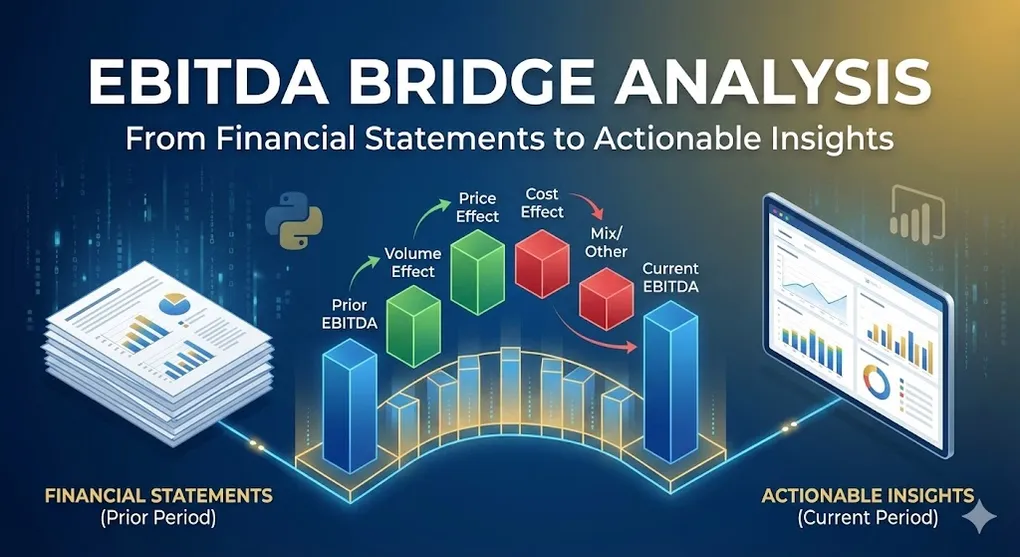
EBITDA Bridge Analysis: From Financial Statements to Actionable Insights
What is an EBITDA Bridge?
An EBITDA Bridge (also known as a Waterfall Chart or Walk) is a visualization technique used by analysts to decompose the change in a company’s EBITDA from one period to another into its fundamental drivers.
Why it matters: Instead of just saying “EBITDA dropped 23%,” a bridge chart answers why—was it pricing pressure, volume decline, cost inflation, or a mix of factors?
The Core Components
| Component | What It Measures | Formula |
|---|---|---|
| Volume Effect | Impact of selling more/fewer units | ΔVolume × Prior ASP × Prior Margin |
| Price Effect | Impact of price changes | ΔASP × Current Volume |
| Cost Effect | Impact of COGS changes | ΔCOGS (at constant volume) |
| Mix Effect | Impact of product mix shifts | Residual after other effects |
| FX Effect | Currency translation impact | ΔRevenue due to exchange rates |
[!NOTE] Understanding Mix Effect: Mix Effect captures the impact of product mix changes. If a company sells more high-margin products (e.g., iPhone Pro vs iPhone SE), EBITDA increases even with the same total volume. This is particularly important for multi-product companies like Apple, Samsung, or automakers with multiple vehicle lines.
When to Use EBITDA Bridge Analysis
| Use Case | Example |
|---|---|
| Earnings Calls | ”Our EBITDA grew 80M volume offset by -$30M pricing” |
| M&A Due Diligence | Decomposing target’s historical performance |
| Strategic Planning | Scenario analysis: “What if we raise prices 5%?” |
| Variance Analysis | Budget vs. actual performance decomposition |
Building an EBITDA Bridge: Step-by-Step
Step 1: Gather the Data
You need two periods of data with these metrics:
Period 1 (Prior Year):
- Revenue, COGS, Opex, D&A, EBIT, EBITDA
- Volume (units sold)
- Average Selling Price (ASP) = Revenue / Volume

Period 2 (Current Year):
- Same metrics
Step 2: Calculate Each Effect
Volume Effect
volume_effect = (current_volume - prior_volume) * prior_asp * prior_gross_marginInterpretation: How much EBITDA would change if only volume changed, holding price and costs constant.
Price Effect
price_effect = (current_asp - prior_asp) * current_volumeInterpretation: How much revenue changed due to pricing decisions.
Cost Effect
cogs_effect = prior_cogs - current_cogs  # Negative if costs rose
opex_effect = prior_opex - current_opex
[!TIP] Variable vs. Fixed Costs: When calculating Volume Effect, you should ideally use Variable COGS only. Including fixed costs in Volume Effect overstates the benefit of increased sales, since fixed costs don’t change with volume. For accurate analysis, separate your COGS into variable (materials, direct labor) and fixed (depreciation, rent) components.
D&A (Non-Cash Add-back)
da_effect = current_da - prior_da # Positive = higher add-backStep 3: Validate the Bridge
The bridge should “walk” from prior EBITDA to current EBITDA:
Prior EBITDA
  + Volume Effect
  + Price Effect
  + Cost Effect (COGS)
  + Cost Effect (Opex)
  + D&A Change
  ─────────────────
= Current EBITDA
Pro Tip: If there’s a residual, it’s typically captured as “Mix/Other” effect.
Python Implementation
import pandas as pd
import plotly.graph_objects as go

def calculate_ebitda_bridge(prior: dict, current: dict) -> pd.DataFrame:
    """
    Calculate EBITDA bridge components between two periods.

    Args:
        prior: Dict with keys: revenue, cogs, opex, da, volume
        current: Dict with same keys

    Returns:
        DataFrame with bridge components
    """
    # Derived metrics
    prior_asp = prior['revenue'] / prior['volume']
    current_asp = current['revenue'] / current['volume']
    prior_gross_margin = (prior['revenue'] - prior['cogs']) / prior['revenue']

    # Calculate effects
    volume_effect = (current['volume'] - prior['volume']) * prior_asp * prior_gross_margin
    price_effect = (current_asp - prior_asp) * current['volume']
    cogs_effect = prior['cogs'] - current['cogs']  # Negative = cost increase
    opex_effect = prior['opex'] - current['opex']
    da_effect = current['da'] - prior['da']

    # Prior & Current EBITDA
    prior_ebitda = prior['revenue'] - prior['cogs'] - prior['opex'] + prior['da']
    current_ebitda = current['revenue'] - current['cogs'] - current['opex'] + current['da']

    # Build bridge DataFrame
    bridge = pd.DataFrame({
        'Component': ['Prior EBITDA', 'Volume Effect', 'Price Effect',
                      'COGS Impact', 'Opex Impact', 'D&A Change', 'Current EBITDA'],
        'Value': [prior_ebitda, volume_effect, price_effect,
                  cogs_effect, opex_effect, da_effect, current_ebitda],
        'Type': ['start', 'delta', 'delta', 'delta', 'delta', 'delta', 'end']
    })

    return bridge


def plot_waterfall(bridge_df: pd.DataFrame, title: str = "EBITDA Bridge"):
    """Create a Plotly waterfall chart from bridge data."""

    fig = go.Figure(go.Waterfall(
        name="EBITDA",
        orientation="v",
        measure=bridge_df['Type'].map({'start': 'absolute', 'delta': 'relative', 'end': 'total'}),
        x=bridge_df['Component'],
        y=bridge_df['Value'],
        text=[f"${v/1e9:.1f}B" for v in bridge_df['Value']],
        textposition="outside",
        connector={"line": {"color": "rgb(63, 63, 63)"}},
        increasing={"marker": {"color": "#2ecc71"}},
        decreasing={"marker": {"color": "#e74c3c"}},
        totals={"marker": {"color": "#3498db"}}
    ))

    fig.update_layout(
        title=title,
        showlegend=False,
        template="plotly_white"
    )

    return fig
Case Study: Tesla FY2023
Let’s apply this framework to analyze Tesla’s 2023 performance, where aggressive price cuts made headlines.
The Data
| Metric | FY2022 | FY2023 | Change |
|---|---|---|---|
| Deliveries | 1.31M | 1.81M | +38% |
| ASP | ~$62,000 | ~$53,500 | -14% |
| Revenue | $81.5B | $96.8B | +19% |
| EBITDA | $17.6B | $13.6B | -23% |
The Bridge Analysis
| Component | Impact | Interpretation |
|---|---|---|
| Prior EBITDA | $17.6B | Starting point |
| Volume Effect | +$30.7B | 📈 Strong demand response to price cuts |
| Price Effect | -$15.4B | 📉 14% ASP decline hit hard |
| COGS Impact | -$18.5B | 📉 Costs rose faster than scale benefits |
| Opex Impact | -$1.7B | 📉 SG&A growth |
| D&A Change | +$0.9B | 📈 Non-cash add-back |
| Current EBITDA | $13.6B | Ending point |
Key Insight
Volume gains (+15.4B) and rising costs (-$18.5B).
Despite record deliveries of 1.8 million vehicles, EBITDA declined 23% year-over-year. The bridge reveals that Tesla’s pricing strategy was a bet on future cost reductions that hadn’t yet materialized.
👉 See the full interactive analysis: Tesla Pricing Strategy Impact Analysis
Power BI Implementation Tips
1. Use What-If Parameters for Scenario Analysis
// Create a "Price Scenario" parameter (-10% to +10%)
Adjusted_Price_Effect =
    [Base_Price_Effect] * (1 + [Price Scenario Value])

Adjusted_EBITDA =
    [Prior_EBITDA] + [Volume_Effect] + [Adjusted_Price_Effect] + [Cost_Effect]
2. Waterfall Chart Best Practices
| Setting | Recommendation |
|---|---|
| Colors | Green = positive, Red = negative, Blue = totals |
| Labels | Show values in B for readability |
| Sorting | Keep logical order (Volume → Price → Cost) |
| Subtotals | Add “Operating EBITDA” before non-cash items |
Common Pitfalls to Avoid
| Pitfall | Solution |
|---|---|
| Double-counting | Ensure Volume, Price, and Mix effects are mutually exclusive |
| Missing FX | Always isolate currency effects for multinational companies |
| Ignoring mix | Product mix shifts can mask true pricing power |
| Static costs | Separate fixed vs. variable costs for accurate volume effect |
Summary
The EBITDA Bridge transforms opaque financial movements into a clear narrative:
- Start with prior period EBITDA
- Add volume effect (demand changes)
- Add price effect (pricing power)
- Subtract cost increases (or add savings)
- Adjust for non-cash items (D&A)
- Arrive at current period EBITDA
This framework is essential for:
- Investment analysts decomposing earnings
- FP&A teams explaining variances to executives
- Strategy teams running scenario analyses
[!IMPORTANT] EBITDA vs. Cash Flow: Remember that EBITDA excludes D&A, CapEx, and Working Capital changes. While the EBITDA Bridge explains profitability drivers, you’ll often need a Cash Flow Bridge alongside it to understand where the money actually went. EBITDA can look healthy while cash flow suffers due to heavy capital expenditures or inventory buildup.
Further Reading
- Tesla Pricing Strategy Impact Analysis — Full case study with interactive dashboard